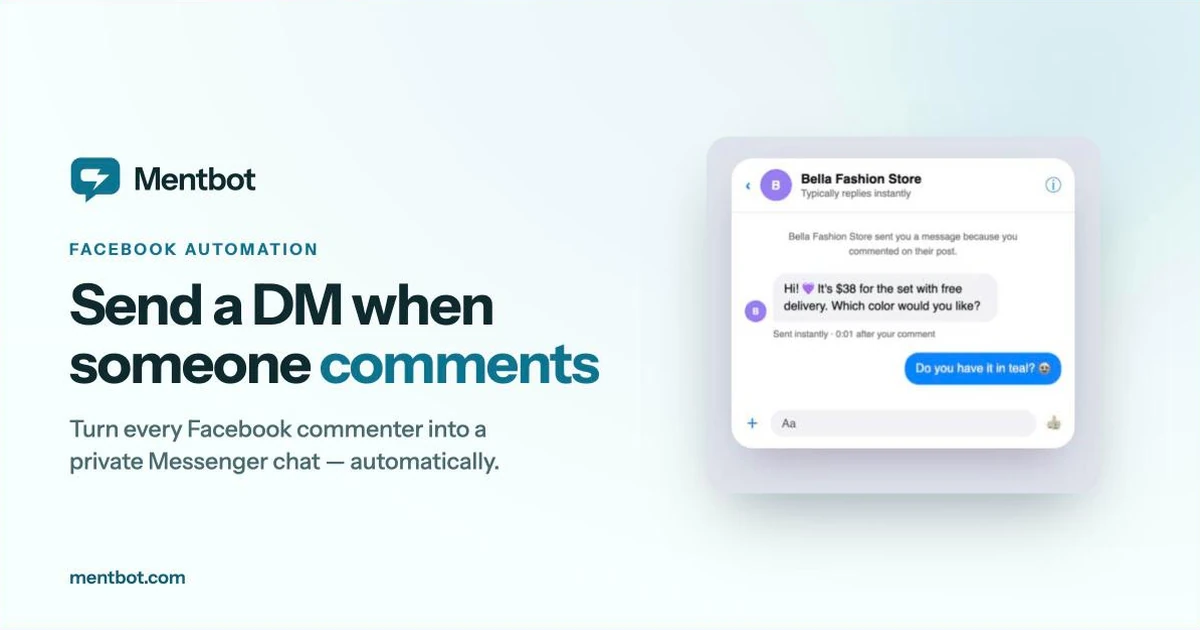
If you sell on Facebook, comments are where your sales start — and where most of them quietly die. Someone asks “How much?” under your post, you reply four hours later, and by then they’ve bought from the page that answered in four seconds. Setting up an auto-reply to Facebook comments fixes this: every commenter gets an instant public answer plus a private Messenger message, so the conversation moves somewhere you can actually close the sale.
This guide covers everything: why comment auto-replies work, the three ways to set them up (including Meta’s free built-in option), and a step-by-step walkthrough.
Three reasons, all backed by how Facebook actually works:
Speed wins sales. Most buyers on Facebook message several sellers and buy from whoever answers first. A comment that sits unanswered for an hour is usually a lost sale, especially for impulse purchases. An auto-reply answers in under a second, 24/7 — including at 11pm when your admins are asleep and your competitors’ pages are silent.
Comments are public — sales conversations shouldn’t be. When you answer “How much?” with a public price, every competitor watching your page can undercut you, and anyone can message your commenters directly and poach them. The standard playbook for Facebook sellers is: short public reply (“Sent you the details in Messenger!”) plus a private message with the price and payment link. Doing that manually for every comment doesn’t scale past a handful of posts.
A commenter in Messenger is a contact; a commenter under a post is not. Facebook only lets a page message a user privately if the user engaged first. A comment counts as engagement — which means every comment is a one-time window to open a Messenger conversation. Once that conversation exists, you can answer questions, send photos, take the order, and follow up later. Miss the window and you have no way to reach them.
There are three realistic options, from free-and-basic to full automation. Here’s an honest comparison:
| Meta Business Suite (free) | ManyChat | Mentbot | |
|---|---|---|---|
| Public reply to comments | No | Yes | Yes |
| Private Messenger reply | Yes (basic) | Yes | Yes |
| Keyword triggers | Basic | Yes | Yes |
| Run only on chosen posts/hashtags | Limited | Yes | Yes |
| Auto-hide comments | Yes (Page word list) | Limited | Yes |
| Slow-reply alerts for your team | No | No | Yes |
| Flow builder for complex bots | No | Yes (its strength) | No — built for comments |
| Setup time | ~10 minutes | Hours (flows) | ~5 minutes |
| Price | Free | Free tier, paid from $17/mo ($14 billed yearly) | From $9/mo, all features |
Facebook’s own tool can send a private reply when a comment on your page contains the words you set. On desktop, go to Meta Business Suite → Inbox → Automations, choose the Comment to message automation, and write your message.
It’s free and takes ten minutes, so it’s the right starting point if you get a few comments a day. The limits show up quickly, though: it sends the private message but never a public reply, so the thread still looks unanswered; keyword matching is basic; there are no team alerts; and there’s no reporting — you won’t know how many commenters it converted. Hiding comments is a separate word list in your Page settings, not part of the automation.
ManyChat is the biggest name in chat marketing, and its comments trigger is solid: comment with a keyword → get a DM → enter a bot flow. If you want multi-step conversational bots — quizzes, drip sequences, cross-channel Instagram + Facebook flows — it’s the most powerful option.
The trade-off is complexity and cost. You build flows in a visual editor, which takes real setup time, and the features you need for comment automation sit in the paid plans, which are priced per contact — so the bill grows with your audience. If you’re weighing ManyChat against other options, we’ve compared seven ManyChat alternatives on verified pricing, including when ManyChat is still the right call.
Mentbot does one job: reply to every Facebook comment publicly and pull the commenter into a private Messenger chat, instantly. Because it’s not a general-purpose bot builder, setup is minutes, not hours: connect your page, write your reply, choose which posts to watch.
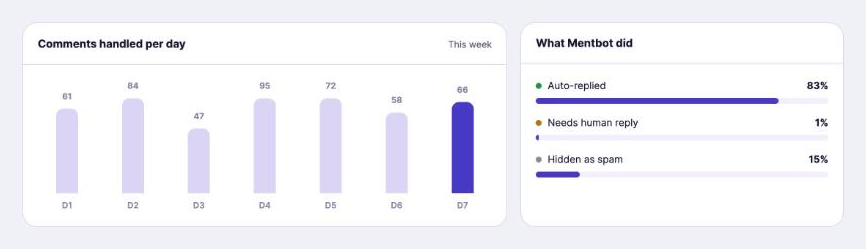
It also covers the pieces the other options miss for sellers: auto-hiding comments so competitors can’t poach your customers, unread-inbox alerts so a human follows up before the lead goes cold, and daily stats on how many customers the bot answered. Pricing is flat from $9/month by comment volume — every feature on every plan, unlimited pages.
Here’s the full setup, start to finish. Most pages are live in about five minutes.
Sign in at app.mentbot.com with your Facebook account and grant page permissions. Mentbot only uses the permissions you approve and never posts anything outside the rules you set. Every plan supports unlimited pages, so connect as many as you manage.
You have three modes:
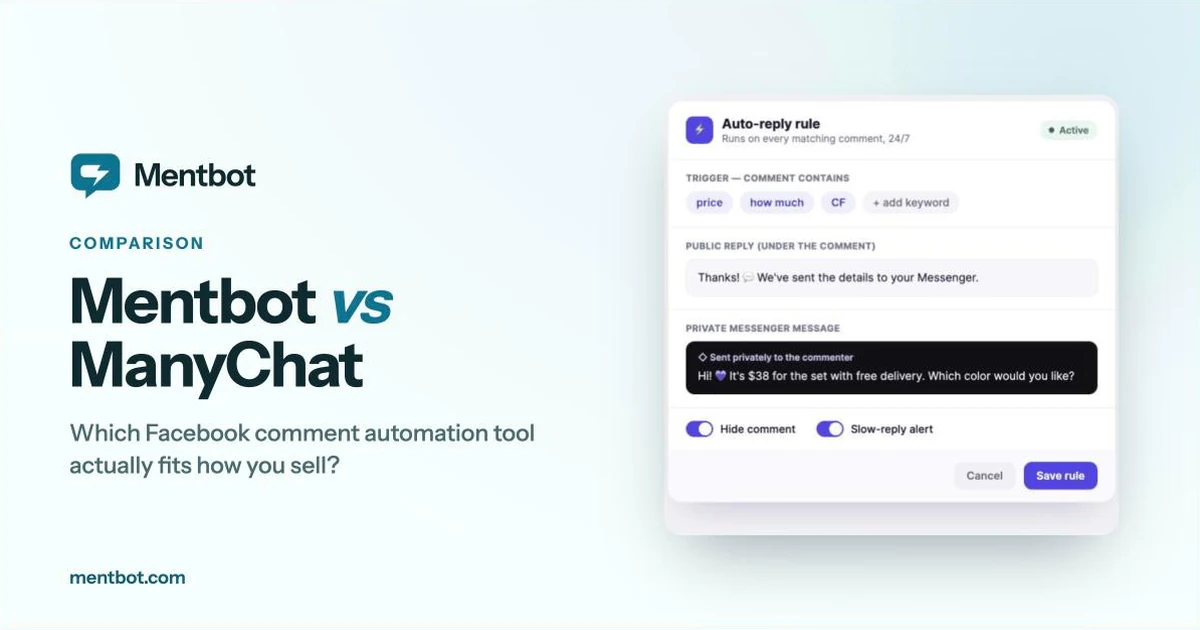
#sale to any post you want automated. Best when you mix product posts with general content.The public reply’s job is to be fast and to signal to other buyers that your page answers. Keep it short: “Thanks! We’ve sent the details to your Messenger 💬”
The private message is your sales opener — price, options, photos, and a question that keeps the conversation going: “Hi! It’s $38 for the set with free delivery. Which color would you like?“
If your niche is competitive, turn on comment hiding: the comment stays visible to the commenter and their friends, but competitors browsing your page can’t see (or poach) your interested buyers. Our guide to automatically hiding Facebook comments covers when to use this and when not to.
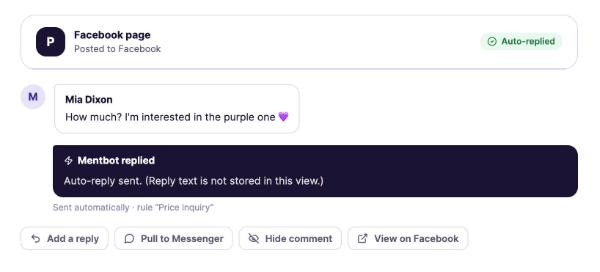
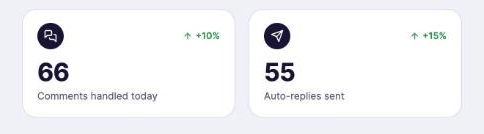
Automation opens the conversation; a human closes the sale. Mentbot alerts your team the moment a Messenger reply goes unread past your threshold, so no lead who answered the bot sits waiting. Check the daily stats after the first week — replies sent, response times — and tighten your keywords from there.
Don’t answer questions with a wall of text publicly. The public reply is a signpost; the substance goes in Messenger. This keeps your post tidy and your prices private.
Match the reply to the post. “Sent you the price!” makes no sense under a meme. Use hashtag or keyword modes so automation only runs where it fits.
Vary and humanize your replies. Write your auto-reply like you’d type it — with the emoji and tone your page actually uses. Generic-sounding bots get ignored; on-brand ones don’t read as bots at all.
Always follow the automation with a human. The bot’s job is to respond in one second and open the chat. Closing the sale — answering the odd question, confirming the order — still converts far better with a person. That’s why the unread-alert piece matters as much as the auto-reply piece.
Stay inside Facebook’s rules. Use a tool that works through the official pages API with permissions you grant (Meta’s tool, ManyChat, and Mentbot all do). Browser scripts and unofficial “comment bots” that scrape or mass-post can get your page restricted.
Will the auto-reply answer every single comment? Only if you want it to. Run it on all posts, only on hashtagged posts, or only when comments contain your keywords.
Can it reply to comments that are just a photo or a sticker? Mentbot can, including image-attachment comments — common when buyers screenshot a product and comment with the picture.
Does the commenter have to accept anything to get the private message? No. Because they commented, Facebook allows the page to send one private reply. If they respond, a normal Messenger conversation is open.
Is this allowed by Facebook? Yes — private replies to comments are an official page feature. Tools like Mentbot use the same official API with permissions you control.
What does it cost? Meta’s basic tool is free. Mentbot starts at $9/month for 100 comments a day, with a 14-day free trial, no card required.
Every unanswered comment is a buyer you already paid to attract — with your content, your ads, your product photos — walking off to a faster page. An auto-reply setup takes minutes and works every hour you’re not online.
Start your free 14-day trial — connect your page, set one rule, and watch the next comment become a Messenger conversation. No card required, cancel anytime.