
Avoid getting your Page's replies blocked by Facebook
On this page
Auto-replying to comments is allowed. What gets a Page’s replies blocked is many replies that look alike, especially with a link. Give each Rule several versions of its reply, and keep links in the private reply.
Set up each Rule to vary its replies
Open Pages, choose your Page, and press Edit on a Rule.
Under Comment replies, press + Add reply message until the Rule has three versions or more. Change the wording, not just an emoji. Mentbot picks one at random for each comment.
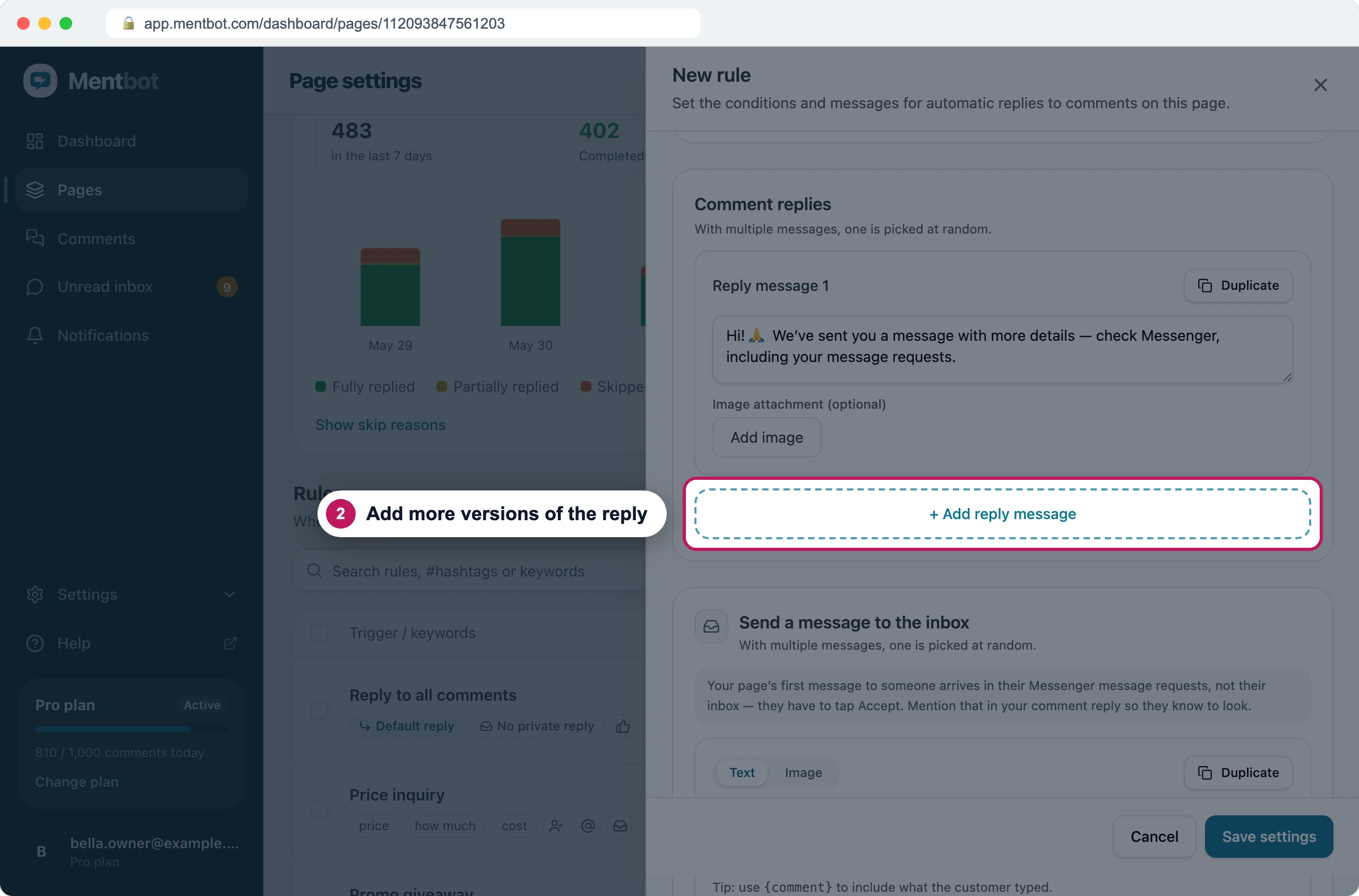
Each comment gets one version, picked at random. Delete any link from those replies. End them with something like “Sent you the details, check your message requests”.
Put the link in Send a message to the inbox, and press + Add reply message there too for a second and third version.
Tick Reply once per person (per post), so someone who comments five times gets one reply.
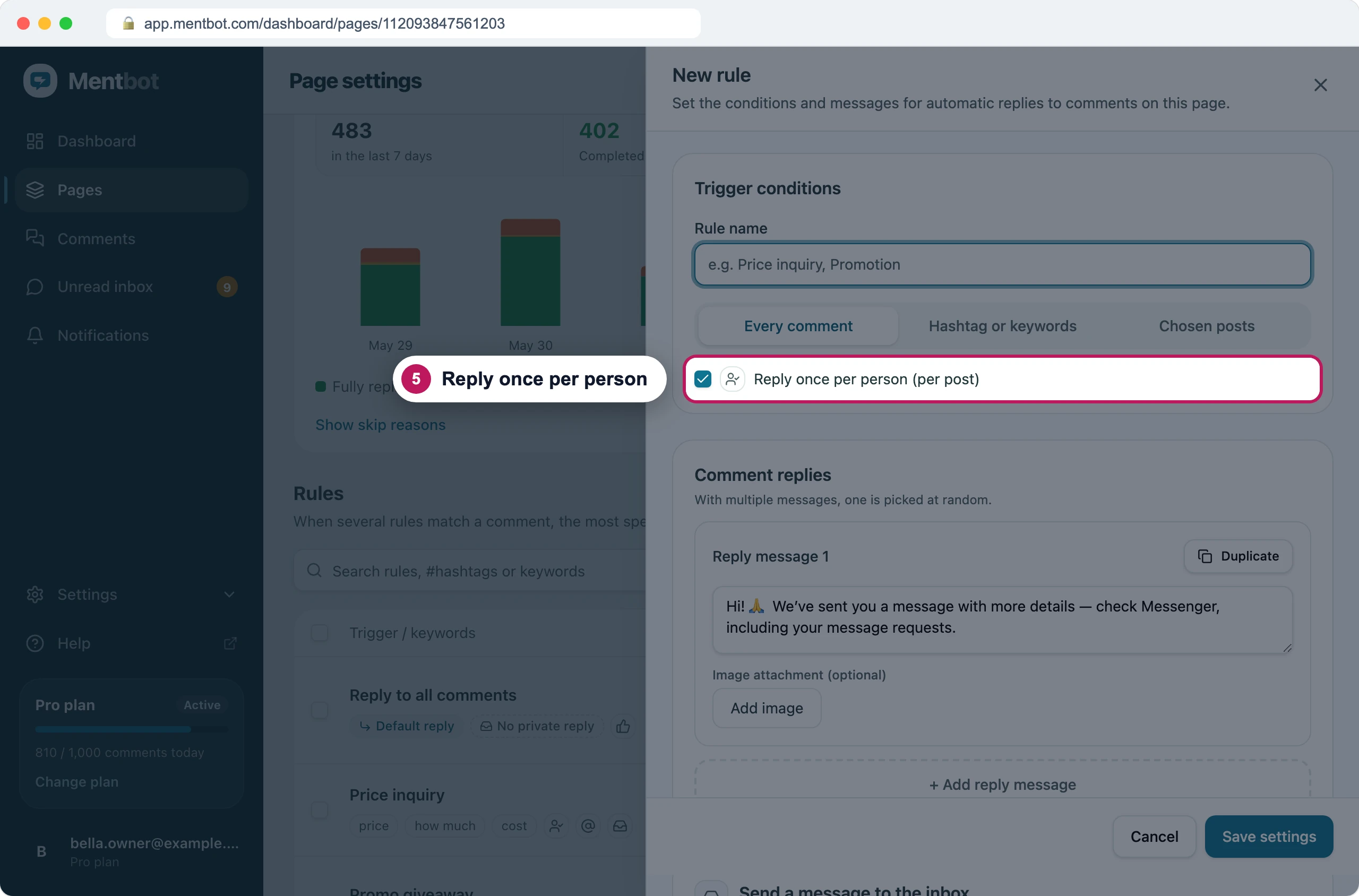
Ticked on new Rules. Press Save settings, then do the same for the Page’s other Rules, the Default reply included.
Why this works
Facebook doesn’t publish its limits, and no number of replies a day is safe. In Mentbot’s data from about 30 Pages (Aug–Oct 2026), one Page posted thousands of identical replies without being blocked. Another was blocked at about 30 replies a day, all carrying the same link. The blocks we’ve looked into followed the same pattern: the same text, with a link, posted again and again.
A link in a private reply is fine. Facebook judges public replies, where everyone sees the same text under every comment.
Keep Bulk reply runs small
A catch-up run posts many replies in a row, so it’s where a block most often starts.
- Choose Run my rules rather than Write one message. Your Rules have several versions of each reply, and one message gives every comment the same text.
- Leave the link out of a Bulk reply’s public reply. Put it in the Messenger message.
- For more than a few hundred comments, tick a batch each day rather than all of them at once.
Bulk reply posts at most one public reply a minute on each Page. Even so, a run of 600 posts for ten hours straight.
Let Mentbot space your replies
You don’t need a delay setting. Mentbot spaces every Page’s replies by itself:
- one comment every 10 seconds
- one a minute for a day after Facebook lifts a block, shown as Sending slowed
- private replies at Facebook’s own rate, about 50 a day, while Facebook limits them, shown as Private replies paced
Nobody can change these, so a busy post can’t push your Page faster than this.
On Instagram
- The same advice works for an Instagram account.
- Links in Instagram comments can’t be tapped, so the private reply is the place for them anyway.
- Instagram private replies are text only. Put the link in the text.
If it still doesn’t work
My Page got blocked anyway
Facebook doesn’t say what tipped it. See Facebook is blocking your public replies for what Mentbot does and how to catch up afterwards.
Still stuck? Use the chat in your dashboard, or email [email protected].