
Private replies say "Waiting to accept"
On this page
Nothing is wrong. The message was sent, but a Page’s first message to someone lands in their message requests, not their chats. Mentbot shows this note under every private reply it sends, because it can’t see whether they’ve opened it.
It’s in their message requests
Messenger keeps messages from people and businesses someone hasn’t talked to in Message requests. A private reply is usually your Page’s first message to that person, so it lands there. If they’ve messaged your Page before, it goes straight to their chats.
How to tell: the comment shows the private reply with a note that it’s waiting for them to accept.
Open the comment in Comments. The note sits under the message Mentbot sent.
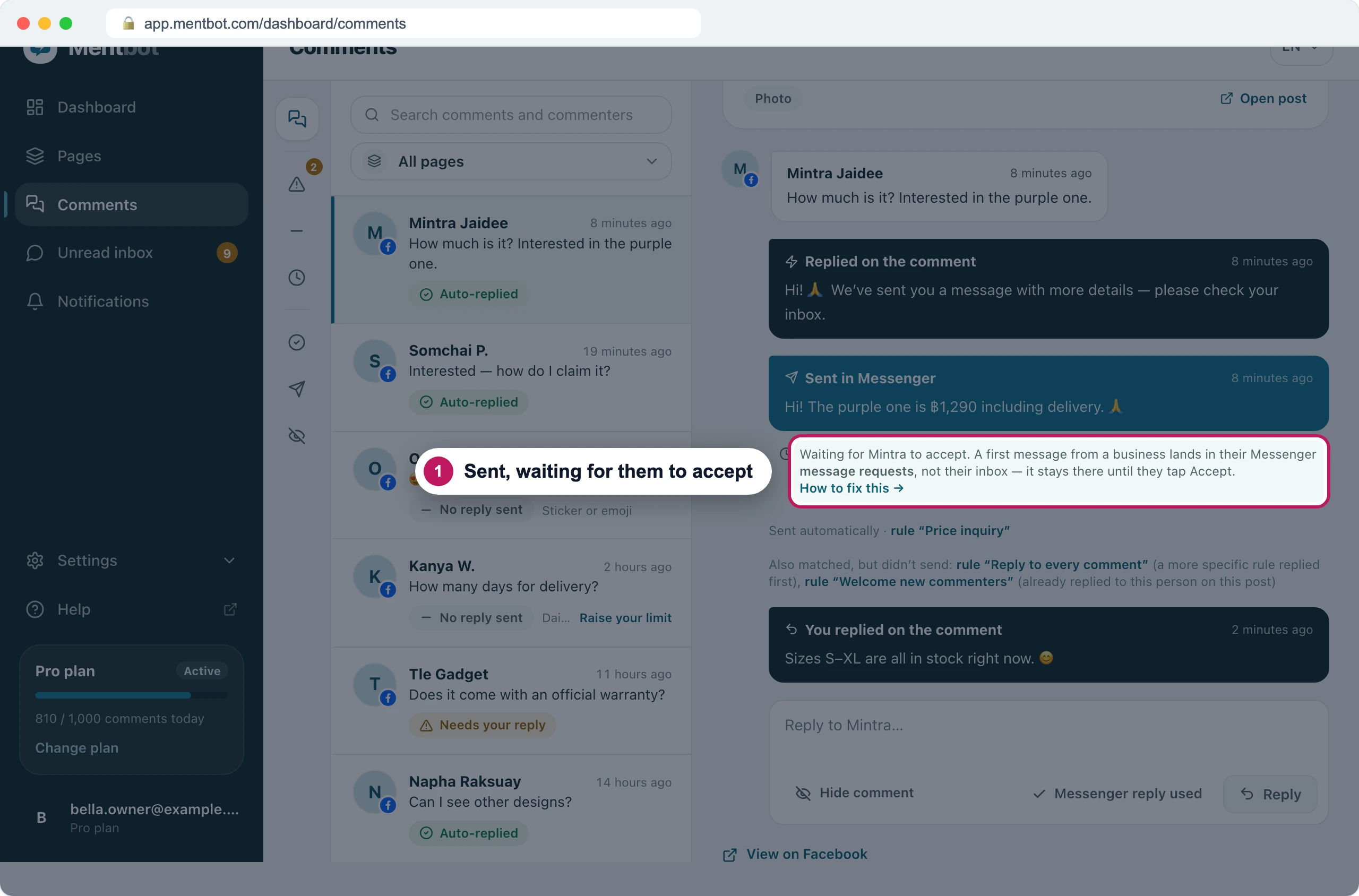
Sent. It reaches them when they open their message requests. If someone asks where the message is, send them to Where they find it.
Tell everyone up front: Point commenters to their requests.
The note stays even after they read or answer it. Their answer arrives in your Page’s inbox on Facebook and in Mentbot’s Unread inbox.
Where they find it
What the person who commented does:
In Messenger, open the menu and tap Message requests. On a computer, open Messenger on Facebook and go to message requests from its menu.
Look under You may know. If the message isn’t there, look under Spam.
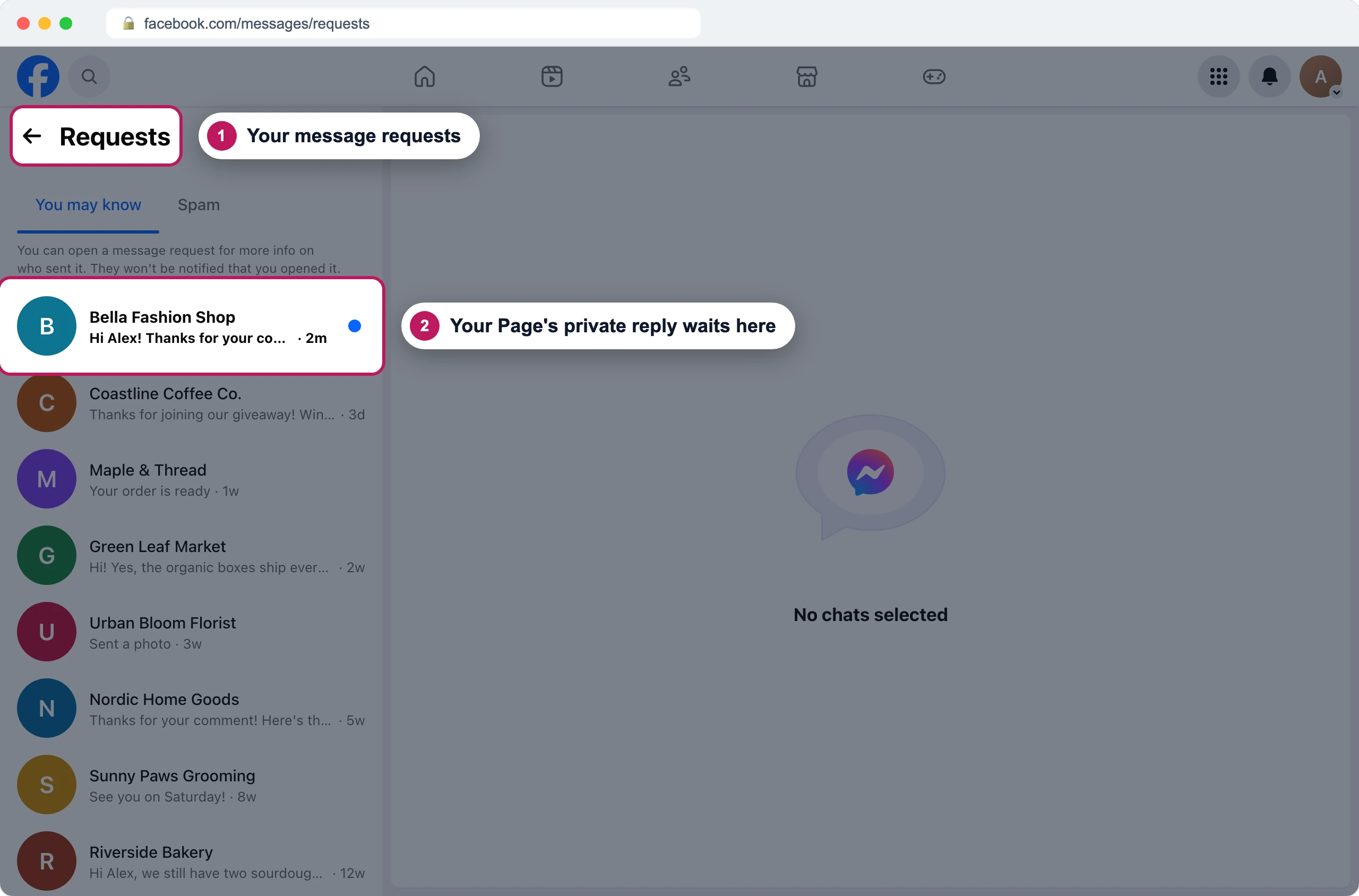
Where a Page's first message waits. Recreated Facebook screen. Open the message. Opening it doesn’t tell your Page. Replying or tapping Accept moves it to their chats.
Mentbot can’t move it to their chats
Facebook decides where a Page’s message lands, for every app and for messages you send by hand. A Page can’t skip message requests.
Point commenters to their requests
- Open Pages, choose your Page, and press Edit on the Rule.
- Under Comment replies, end each reply with something like “Sent you the details, check your message requests”.
- Press Save settings.
The Rule editor reminds you of this under Send a message to the inbox.
On Instagram
- A business’s first message lands in the person’s Instagram message requests. In Instagram they open their messages and tap Requests at the top.
- In Mentbot the note says Instagram instead of Messenger.
- Tell them to check their message requests on Instagram, in the public reply.
If it still doesn’t work
They looked in their requests and it isn’t there
Ask them to check Spam in their message requests. Then open the comment in Mentbot: if the private reply shows an error instead of the note, Facebook refused it. See Facebook refused the reply.
Only some commenters got a message
If your Page shows Private replies paced, Facebook limits how many private replies it may send. See Private replies paced.
The comment has no private reply at all
The Rule that answered has no message under Send a message to the inbox. See Send a private Messenger reply.
Still stuck? Use the chat in your dashboard, or email [email protected].