
Send a private Messenger reply when someone comments
On this page
Write a message under Send a message to the inbox in a Rule. Everyone whose comment that Rule answers gets it in Messenger, along with the public reply. Links belong here, not in the public reply.
Add a private reply to a Rule
Open Pages, choose your Page, and press Edit on a Rule. For a new Rule, press Add rule.
Scroll to Send a message to the inbox.
Write the message. Type
{comment}where you want the person’s comment quoted back to them. A link is fine here.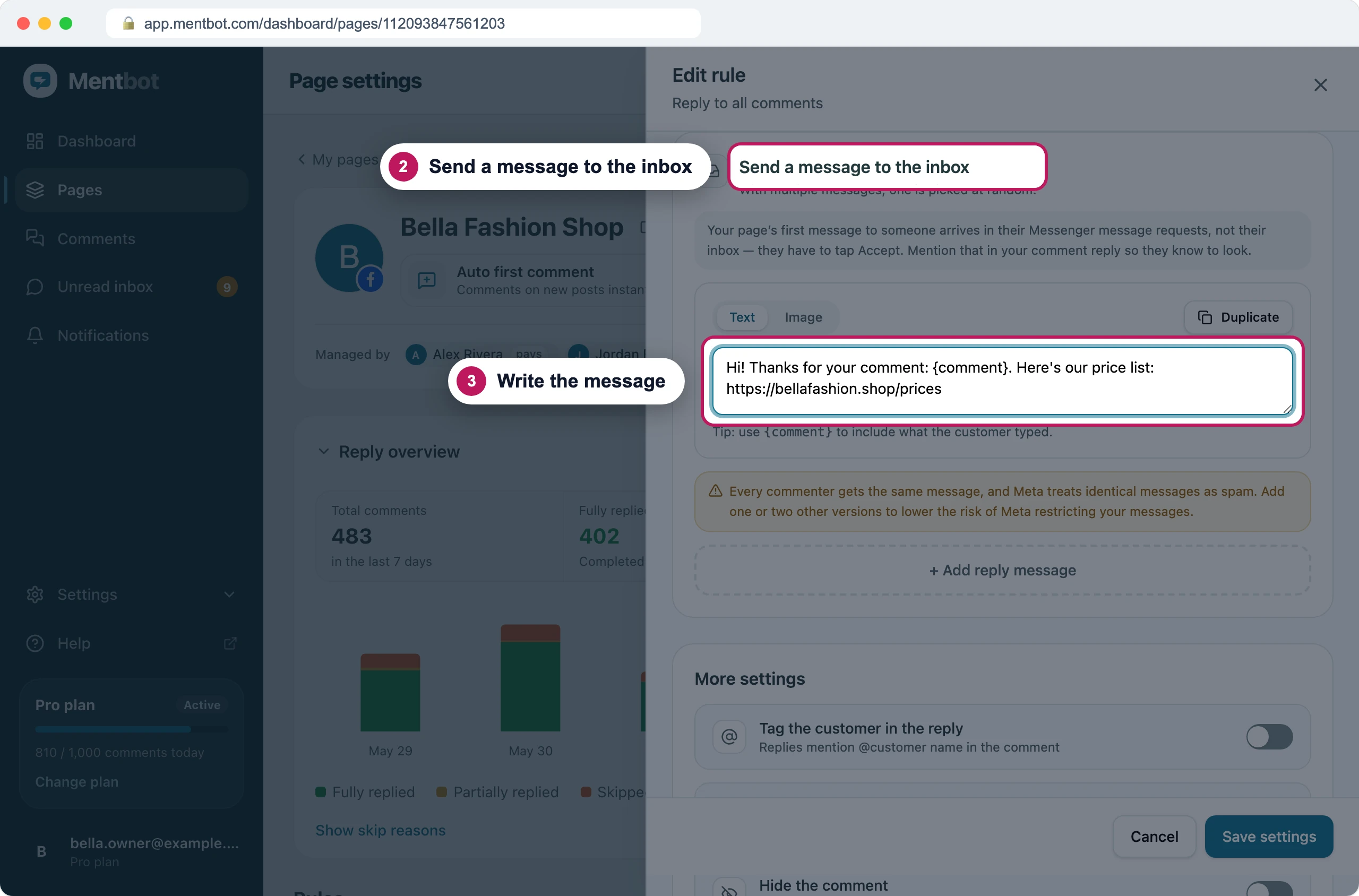
Each commenter gets this in Messenger, with their own comment quoted. Press + Add reply message and write one or two other versions. Meta treats identical messages as spam, so Mentbot sends each person one version, picked at random.
Press Save settings.
Check that Auto replies at the top of the Page is On.
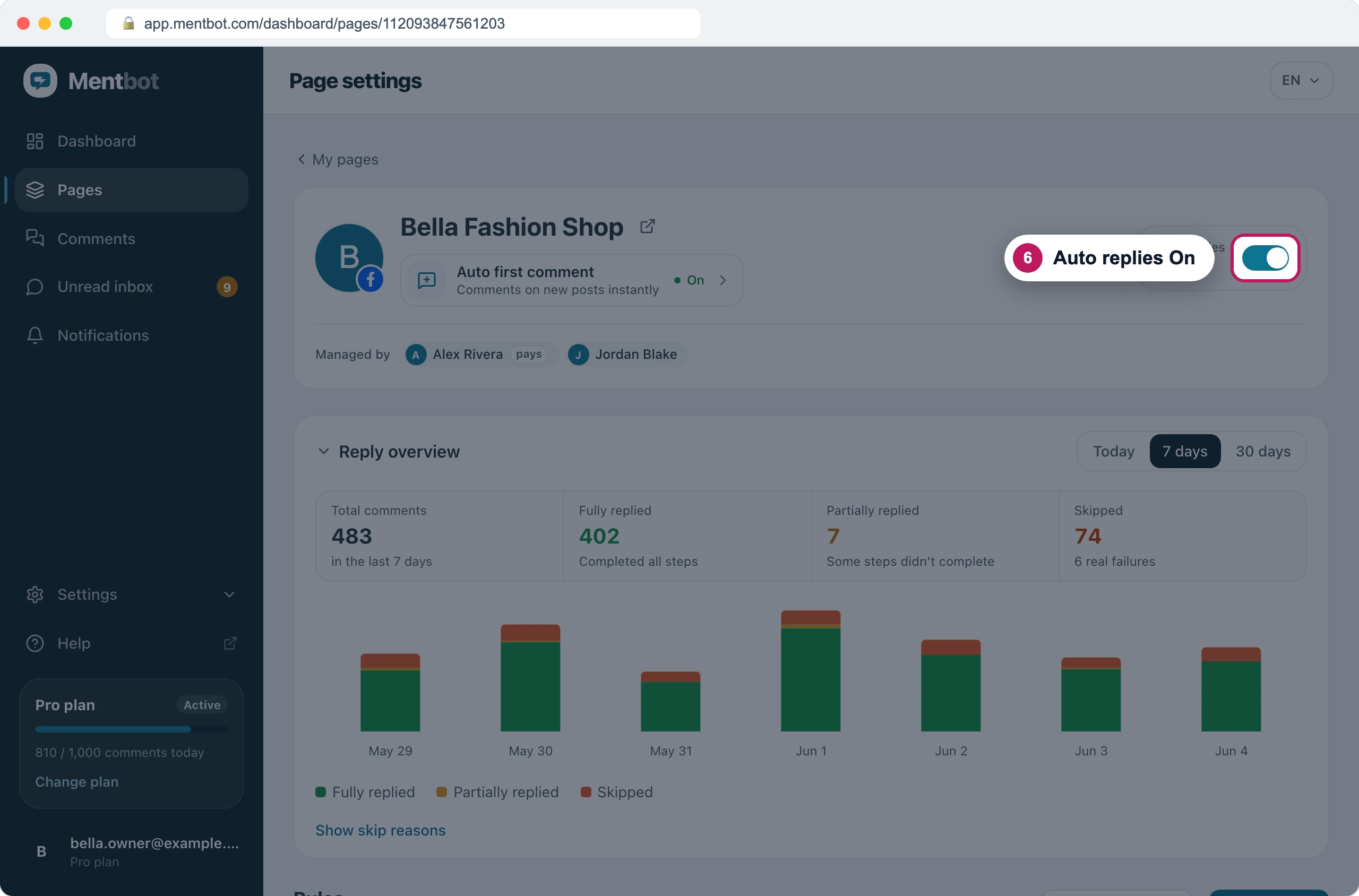
With Auto replies on, the Page's Rules start answering.
To send a picture instead of text, switch a message from Text to Image. Facebook sends the picture on its own, without text.
Facebook’s rules for private replies
- One private reply per comment. Only one Rule answers a comment, so Mentbot sends one message at most. If the comment already has one, Facebook refuses another and the comment shows Facebook allows one private reply per comment, and this comment already got one.
- Within 7 days of the comment. Mentbot answers new comments long before that, so this only matters when you catch up on old comments with Bulk reply. Comments older than 7 days get the public reply only, and the comment shows Facebook’s private-reply window for this comment has closed.
- About 50 a day while Facebook limits your Page. If Facebook restricts how many private replies a Page can send, the Page shows Private replies paced and the extra commenters get no message. See Private replies paced.
Where the message lands
The person gets the message in Messenger. If they’ve never messaged your Page, it goes to their message requests, and the comment in Mentbot says it’s waiting for them to accept. That’s normal, and it reaches them when they open it: see Private replies say “Waiting to accept”.
Test it
- Comment on a post the Rule covers, from your personal Facebook profile, not as the Page. Mentbot never answers the Page’s own comments.
- Use a word the Rule matches.
- Open Messenger on that profile and look in Message requests.
Test again from a different profile, or on a different post. With Reply once per person (per post) ticked, your second comment on the same post gets no reply at all.
On Instagram
- The message arrives in the person’s Instagram messages. A first message usually lands in their message requests.
- It’s text only. A message switched to Image isn’t sent on Instagram.
- The same rules apply: one private reply per comment, within 7 days.
- Replies inside a comment thread get no answer, so they get no message either.
If it still doesn’t work
The comment got a public reply but no message
Open the comment in Comments: the detail says why. Often the Rule has no message, and the Rules list marks it No private reply. Otherwise the comment was older than 7 days, or Facebook refused the message (see Facebook’s rules).
The person says they never got it
Ask them to look in their message requests. See Private replies say “Waiting to accept”.
Only some commenters get the message
Check whether your Page shows Private replies paced. Facebook is limiting your Page’s private replies, and Mentbot sends them at the rate Facebook allows. There’s nothing to fix: see Private replies paced.
Still stuck? Use the chat in your dashboard, or email [email protected].