You picked ManyChat’s $17 plan because your page has a couple of hundred regular buyers. Then a restock post pulls 2,000 people into the comments on a Sunday night, your automation answers every one of them, and the number that matters on the next invoice is no longer the $17.
ManyChat’s pricing table shows a plan price. Your bill is the plan price plus a count of people, and the count is the part you don’t control. This page works that bill out at 100, 1,000 and 3,000 contacts, from ManyChat’s own pricing page as it read on 12 October 2026. We build Mentbot, a flat-priced alternative, so we say where it fits and where ManyChat is the better buy.
ManyChat charges for Active Contacts: real people you interact with during a monthly billing period. The pricing page puts it this way: “One person = one Active Contact for the month,” however many messages you exchange. A contact counts as active when messages are sent or received through ManyChat, by automation, AI, broadcast or the inbox. Every commenter your automation replies to is therefore a billable contact, whether or not they answer (manychat.com/pricing, 12 October 2026).
Each plan includes a number of contacts per month and charges a fee for every contact past it. Prices for a US billing address, before tax:
| Plan | Monthly billing | Annual billing (per month) | Contacts included | Each extra contact, monthly / annual |
|---|---|---|---|---|
| Free | $0 | $0 | 25 | none |
| Essential | $17 | $14 ($168 a year) | 250 | $0.10 / $0.082 |
| Pro | $39 | $29 ($348 a year) | 2,500 | $0.05 / $0.038 |
| Business | $99 | $69 ($828 a year) | 7,500 | $0.025 / $0.018 |
| Advanced | $199 | $139 ($1,668 a year) | 25,000 | $0.004 / $0.0028 |
Source: manychat.com/pricing, checked 12 October 2026. The page says prices exclude tax and are set by your billing country, so the figure at checkout can differ. The model took effect on 2 March 2026. ManyChat’s help centre says it applies by default to accounts created on or after that date, and that older paid accounts are being moved country by country, with an email when yours is next (Manychat Help — Essential plan, 12 October 2026). If you signed up earlier, your billing page, not this table, is the final word.
Assume every person who comments gets an automated reply, so each one is a contact for the month. Someone who comments five times is still one contact. The cheapest way to cover each volume, from the prices above:
| Contacts in the month | Cheapest way to cover it, monthly billing | The arithmetic | Annual billing |
|---|---|---|---|
| 100 | Essential, $17 | inside the 250 included | $14 |
| 1,000 | Pro, $39 | Essential would be $17 + 750 × $0.10 = $92 | $29 |
| 3,000 | Pro plus overage, $64 | $39 + 500 × $0.05; Business is $99 | $48 |
Two things stand out. The plan that matches your size is not always the cheapest: at 1,000 contacts, staying on Essential costs $92, more than twice Pro’s $39. And the step from 1,000 to 3,000 contacts adds $25, not a new plan, because Pro already includes 2,500 and charges half of Essential’s overage rate. The Free plan is not in the table because it stops at 25.
Past 3,000 the rate keeps falling. At 10,000 contacts Business is $99 + 2,500 × $0.025 = $161.50 a month, against $39 + 7,500 × $0.05 = $414 if you stayed on Pro.
ManyChat’s Free plan is $0, needs no card, and includes 25 Active Contacts a month, up to four live automations, two channels from Instagram, TikTok, Facebook Messenger and Telegram, and one user. The first message you send each contact carries a “Powered by Manychat” line, which only a paid plan removes. WhatsApp, SMS and email are not available (Manychat Help — Free plan, 12 October 2026).
It does include comment triggers, so it works for testing one automation on a small page. It does not work for a page that sells in comments: one post that draws 25 different people uses the month. Essential and Pro each have a 14-day free trial; paid plans need a card.
The page documents four levers, and most pricing tables leave them out:
All four are from the same pricing page, checked 12 October 2026.
When the job is “reply to the comment, send the price in Messenger” and nothing else. ManyChat’s meter counts people. A flat tool meters something else, so a post that pulls ten times the usual crowd doesn’t change the plan you’re on.
Mentbot meters comments handled per day: $9, $19, $29 or $49 a month for 100, 1,000, 3,000 or 5,000 a day, every feature on every plan, unlimited Facebook pages, with a 14-day free trial and no card. The honest comparison uses your busiest day, not the month’s total:
| What the month looks like | ManyChat, monthly billing | Mentbot |
|---|---|---|
| 100 people comment; the busiest day has 40 comments | Essential, $17 | Basic, $9 |
| 1,000 people comment; one live sale has 400 comments in a day | Pro, $39 | Pro, $19 (1,000 a day) |
| 3,000 people comment; the busiest day has 1,500 comments | Pro plus overage, $64 | Premium, $29 (3,000 a day) |
The scenarios are illustrations of our own, not averages from customers. Two caveats apply. A person who comments five times is one ManyChat contact but five Mentbot comments, so count comments, not people, when you size a tier. And a daily cap has a hard edge: comments past the day’s limit are skipped rather than billed, so pick the tier for your biggest day.
Mentbot has no flow builder, no drip sequences, no broadcasts, no AI and no WhatsApp. If any of those is why you pay ManyChat, the table above is not a reason to move.
Start your 14-day free trial No card required.
ManyChat is the better buy in three cases:
Where per-contact billing hurts is the page that sells many low-priced items to a large crowd and answers every commenter. That’s the case in the table above, and the one our full head-to-head with ManyChat covers feature by feature. If you’re weighing more than two tools, our comparison of seven ManyChat alternatives prices each from its vendor’s page, and our alternatives index links the ten tools we’ve priced from their own pricing pages.
Does ManyChat charge per comment? No. It charges per Active Contact, each person counted once a month. A comment only costs you when your automation messages its author, and then once a month per person.
Is ManyChat free? There is a free plan: $0, 25 Active Contacts a month, four live automations, two channels and ManyChat branding on your first message. It’s a place to test, not a plan for a selling page.
Is ManyChat cheaper billed annually? Yes. Essential is $14 a month instead of $17, Pro $29 instead of $39, Business $69 instead of $99 and Advanced $139 instead of $199, and the overage rate per extra contact drops as well. The commitment is a full year with no downgrade until it ends.
How do I find out how many contacts I use? ManyChat sends notifications by email and in the platform as you near your monthly limit. Check the count before a big post, not after, because the upgrade that forgives overage has to happen in the same billing cycle.
Does Chatfuel charge the same way? No. Chatfuel doesn’t meter contacts: Business is $20 a month, or $18 billed yearly, with unlimited contacts and a fair-use limit on AI. Our ManyChat vs Chatfuel comparison sets the two bills side by side.
Count last month’s unique commenters, then read the table above against your busiest day. If most of your volume is “how much?” and “mine”, a flat tool covers the same job for a fraction of the bill. If you build funnels, stay where you are and use the overage levers.
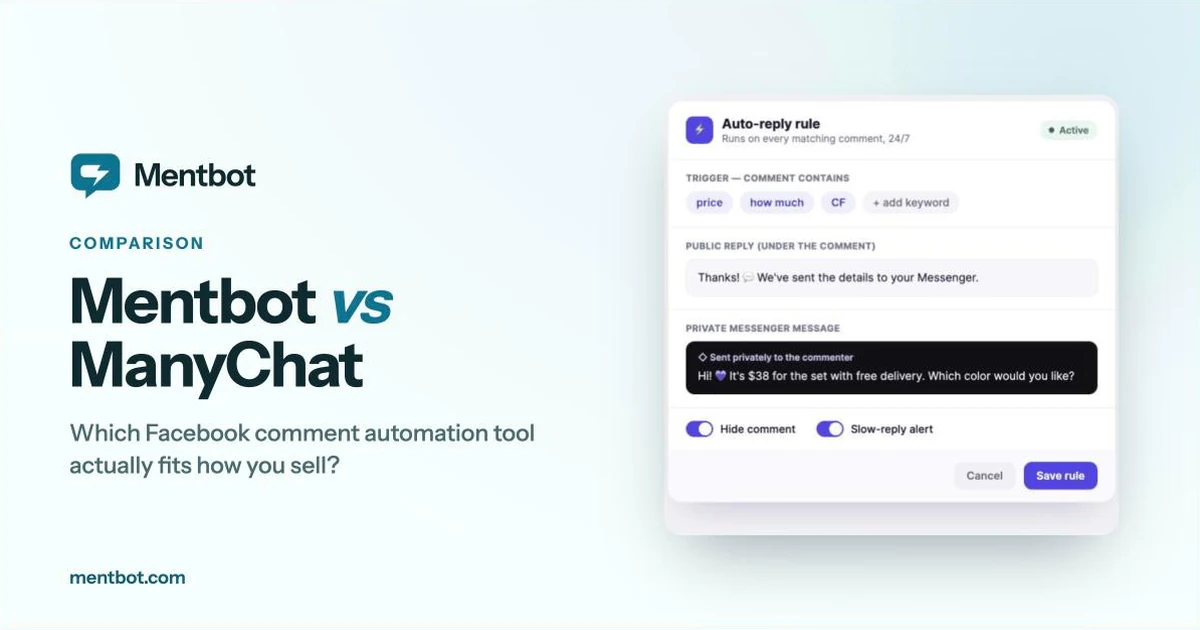
Mentbot sends a public reply and a private Messenger message to every matching comment and can hide the comment, from one rule that covers every future post. The step-by-step setup guide shows what that rule looks like. Run it on one page for a week and compare the Messenger conversations with your last week on ManyChat.
Start your 14-day free trial No card required.