
Plans, daily limits, trials and upgrading
On this page
Every plan has a daily limit on how many comments Mentbot answers, shared by all the Pages you pay for. Plans differ only in that limit. New accounts start with a 14-day Pro trial, no card needed.
Plans and their daily limits
| Plan | Auto-replies per day | Monthly | Yearly |
|---|---|---|---|
| Basic | 100 | $9 | $86 |
| Pro | 1,000 | $19 | $182 |
| Premium | 3,000 | $29 | $278 |
| Business | 6,000 | $49 | $470 |
Every plan has every feature and unlimited Pages. Yearly billing saves 20%. Prices are in US dollars.
How the daily limit works
- What counts: each comment Mentbot answers uses one reply from the limit, whether it posts a public reply, sends a private reply, or both. Bulk reply and Auto first comment count too.
- What doesn’t count: replies you write yourself, Telegram alerts, and Mentbot retrying a reply that failed.
- Shared across Pages: every Page and Instagram account on your plan uses the same limit.
- When it resets: once a day for every account at the same moment, 16:59 UTC (23:59 in Bangkok). The dashboard shows that moment in your own time zone.
When the limit runs out, Mentbot stops replying until the reset, and a banner tells you so. New comments show No reply sent with the reason Daily quota reached. They aren’t answered after the reset. To answer them later, see Catch up with Bulk reply.
Check today’s usage
Open the Dashboard. Today’s usage shows how many comments Mentbot answered today, your daily limit, and when it resets.
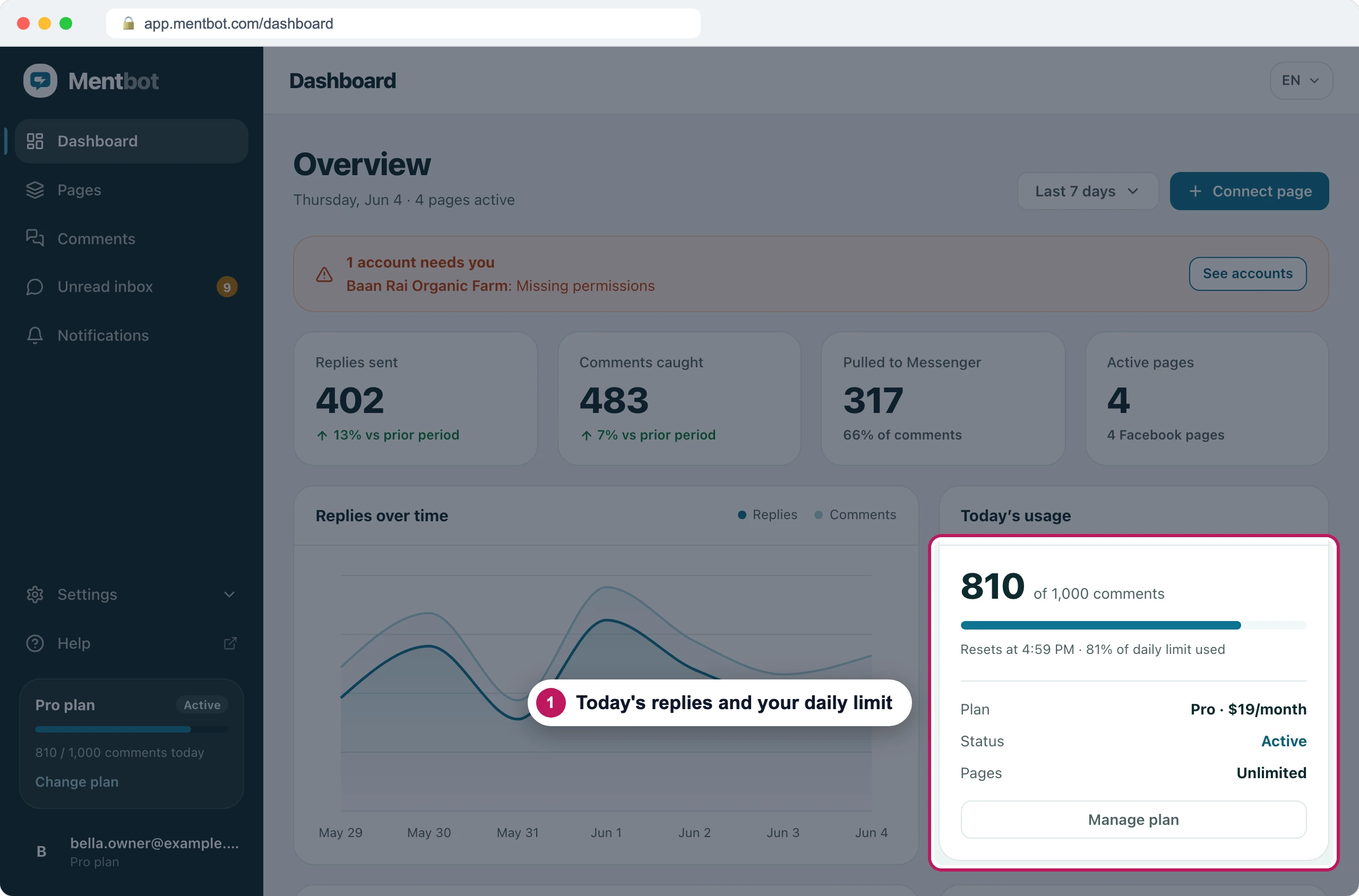
The reset time is shown in your time zone. If the reset time looks wrong, open Account and set your Time zone. It only changes how times are shown, not when the limit resets.
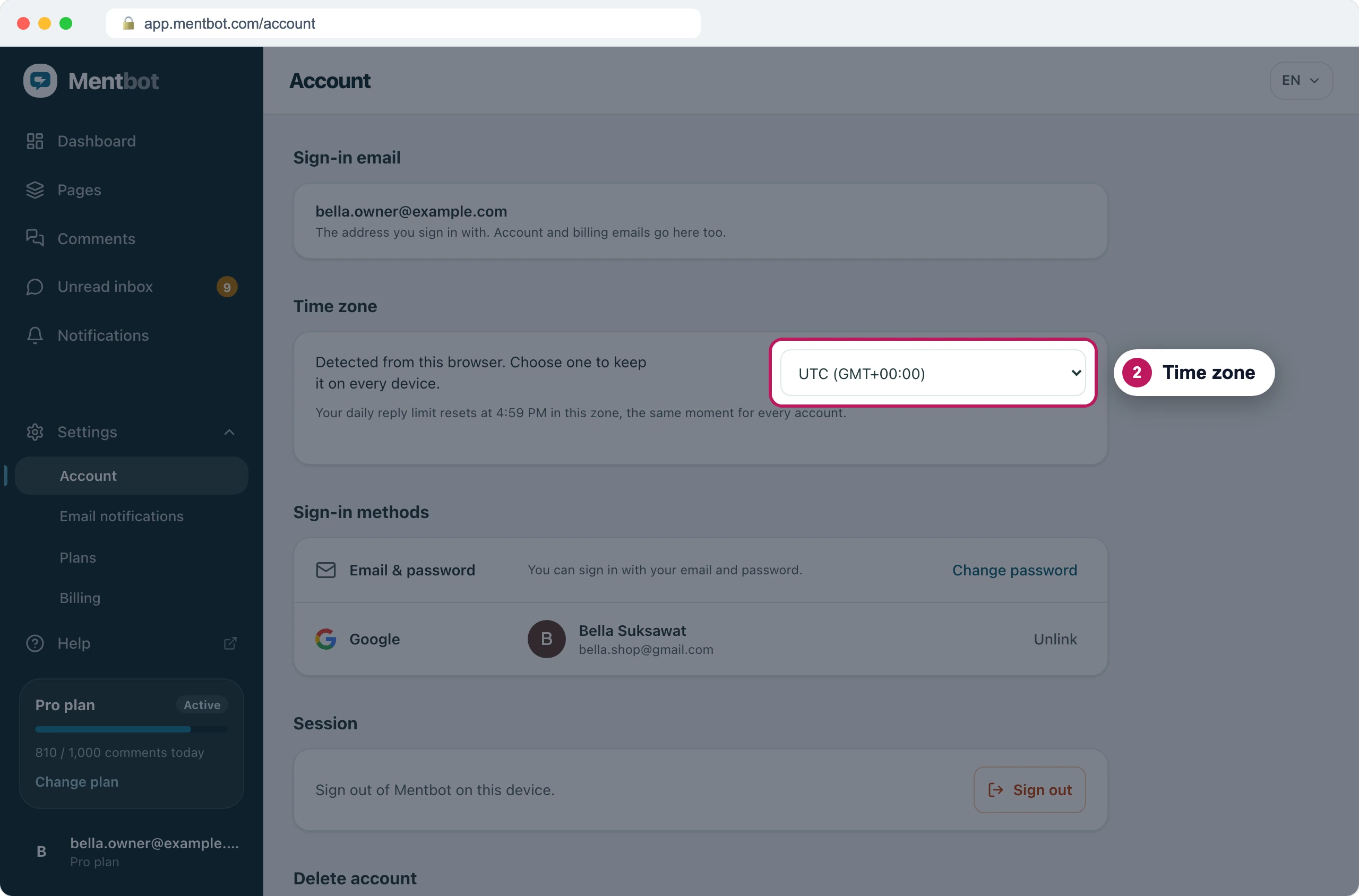
The reset time on the Dashboard follows this setting.
Upgrade your plan
Open Plans, or press Upgrade plan on the limit banner.
Choose Monthly or Yearly.
Press the Upgrade to button under the plan you want.
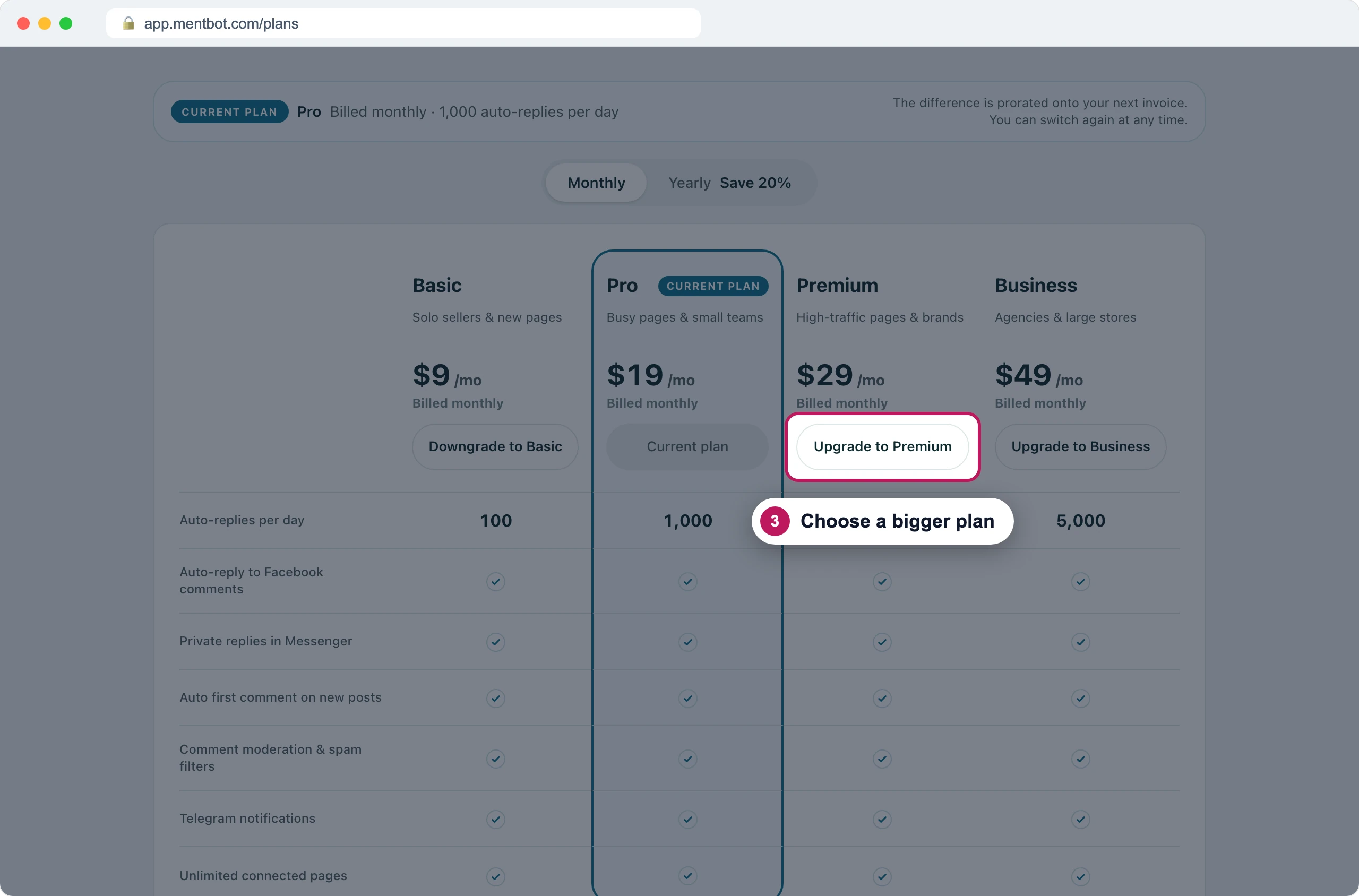
Each plan shows its auto-replies per day. Check what changes and what you pay, then press Confirm change.
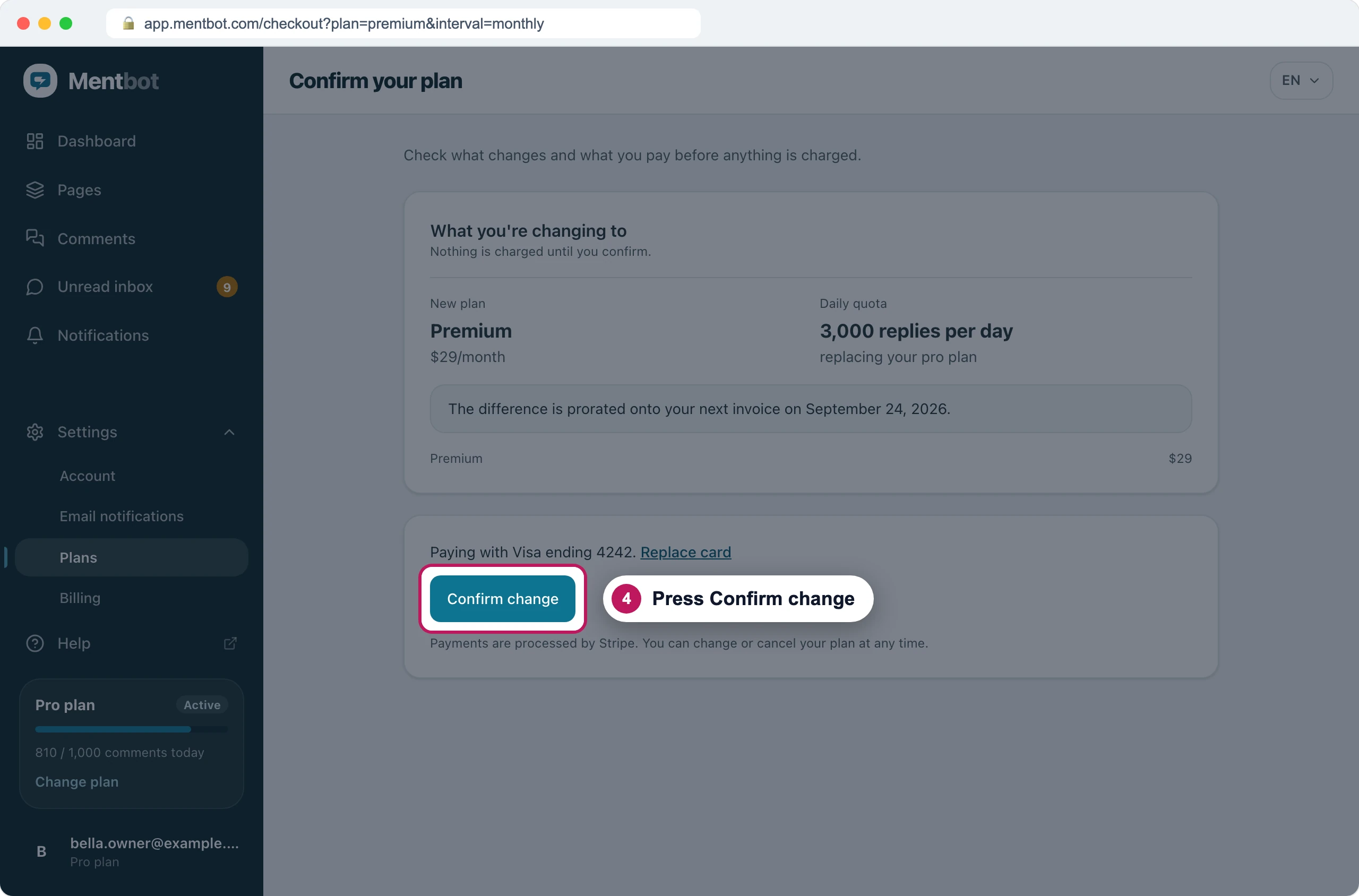
Nothing is charged until you confirm.
The new limit starts straight away. Today’s replies so far still count, so after upgrading from Pro to Premium with 1,000 used, 2,000 are left today.
- During your free trial: the trial keeps running and nothing is charged until it ends. To switch to Premium or Business during a trial you add a card first, but it isn’t charged until the trial ends.
- On a paid plan, staying on monthly or staying on yearly: nothing is charged today. The difference is added to your next invoice.
- Moving between monthly and yearly: a new billing period starts today, so the new price is billed today, minus the unused time on your old plan.
When your free trial ends
Your trial lasts 14 days on the Pro plan. What happens at the end depends on whether you’ve added a card:
- With a card: your plan starts and the card is charged. Mentbot keeps replying.
- Without a card: the trial ends and Mentbot stops replying on every Page you pay for.
In the last 3 days, a banner reminds you if no card is saved. To keep replying:
Open Billing, or press Add payment method on the banner.
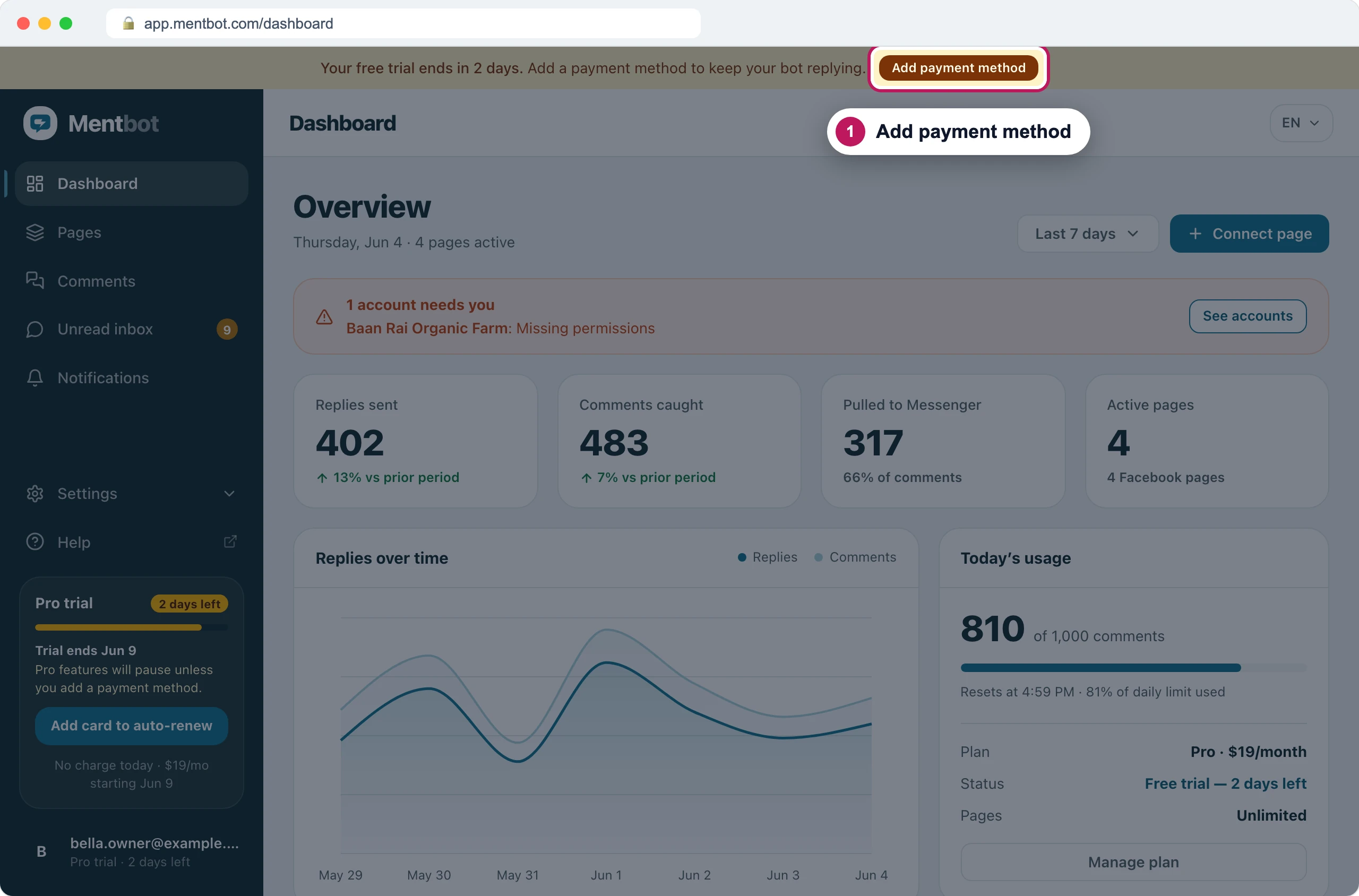
The banner shows in the last days of a card-free trial. Add your card. You aren’t charged until the trial ends.
Each account gets one free trial. Deleting your account and signing up again doesn’t start a new one.
Downgrade or switch to yearly billing
Open Plans.
Press the Downgrade to button under a smaller plan, or Switch to yearly billing or Switch to monthly billing.
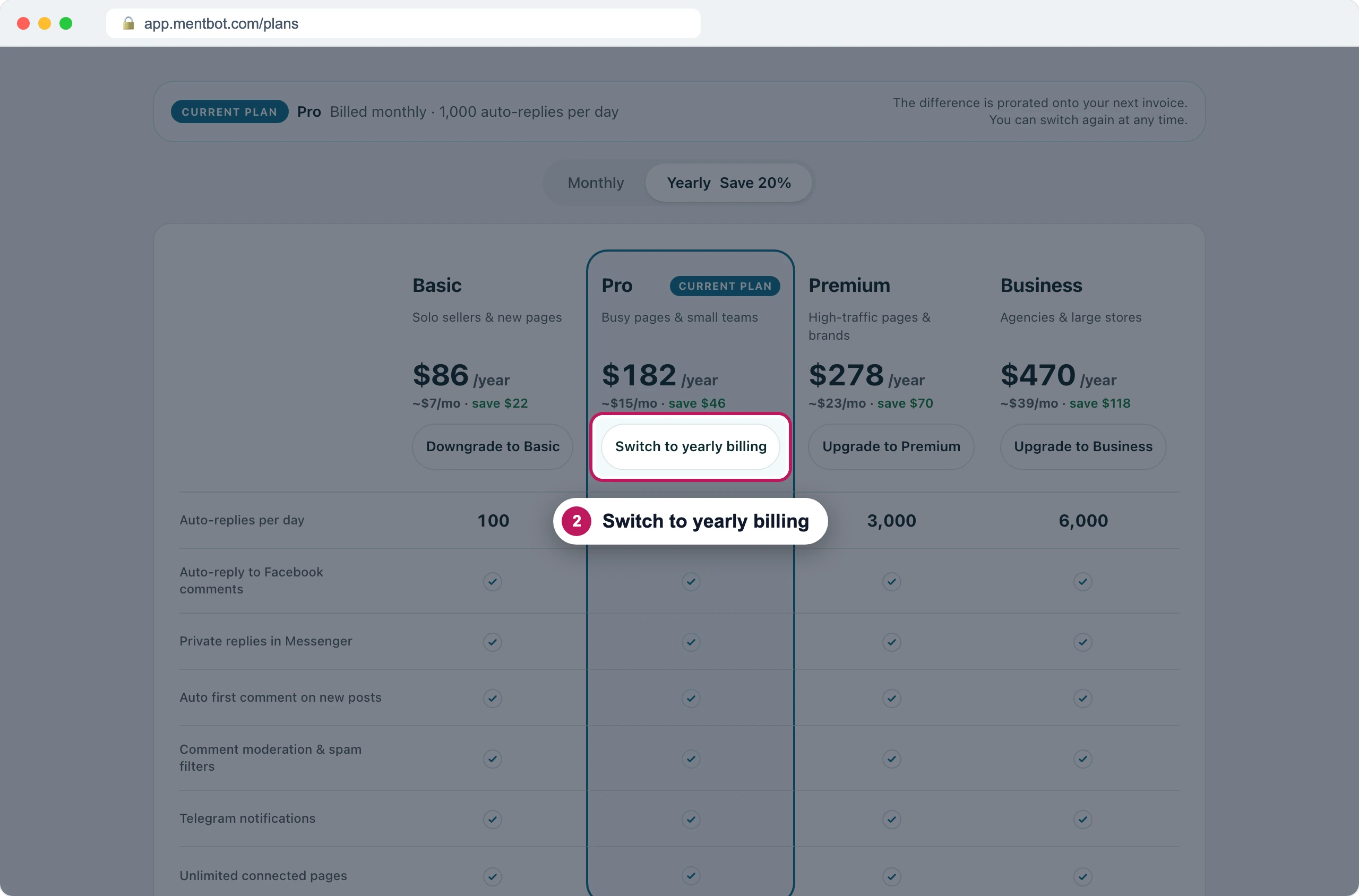
Yearly plans cost 20% less than twelve months. Check what changes and what you pay, then press Confirm change.
The change starts straight away. Unused time on your old plan is taken off your next invoice. Moving between monthly and yearly starts a new billing period today, so that invoice comes today. After a downgrade the smaller limit applies today too, so if you’ve already used more than it allows, Mentbot stops replying until the reset.
Cancel your plan
Open Billing.
Press Cancel subscription.
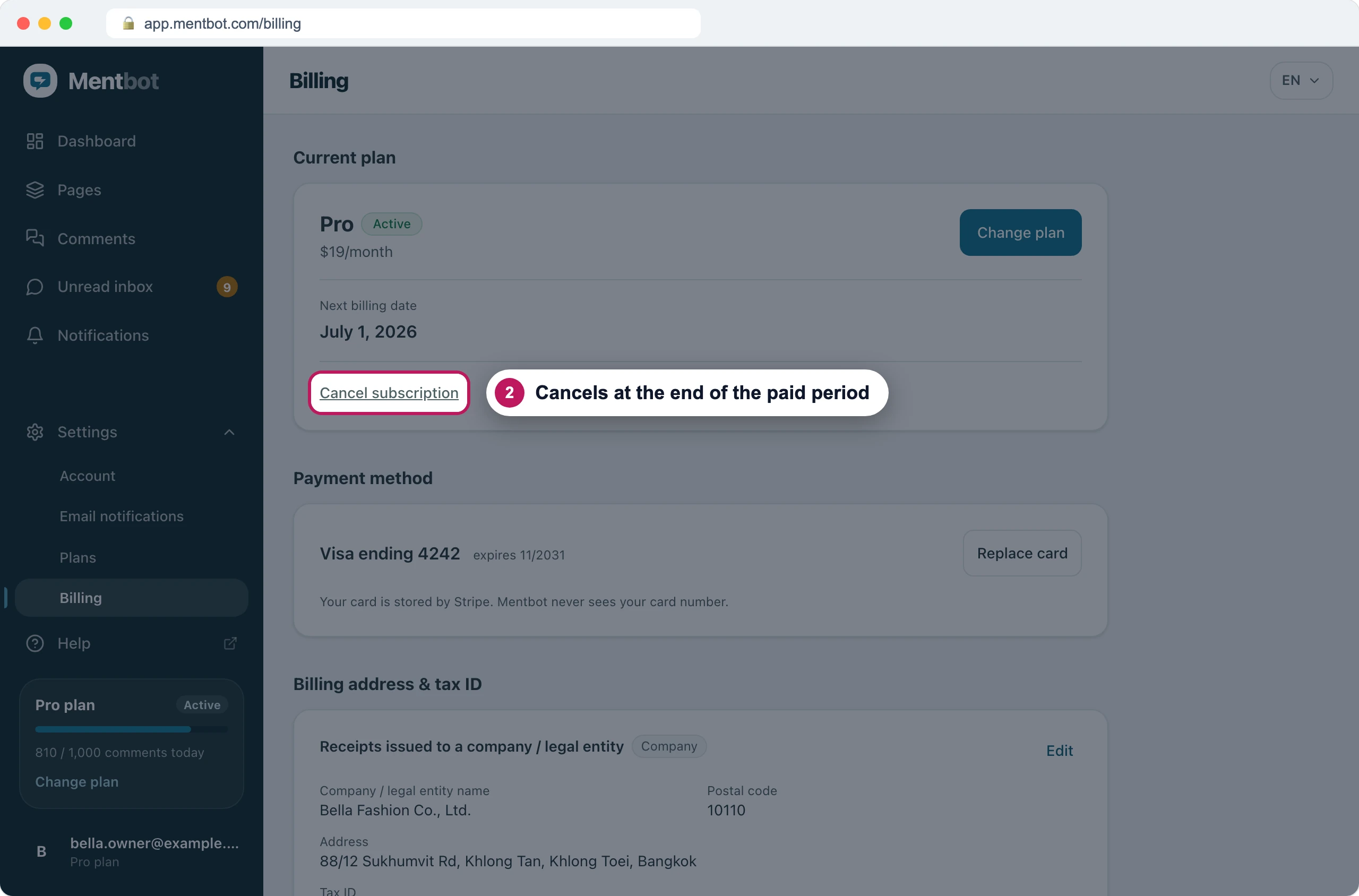
Mentbot keeps replying until the end of the period you've paid for. Tell us why you’re leaving if you like, then press Cancel at period end.
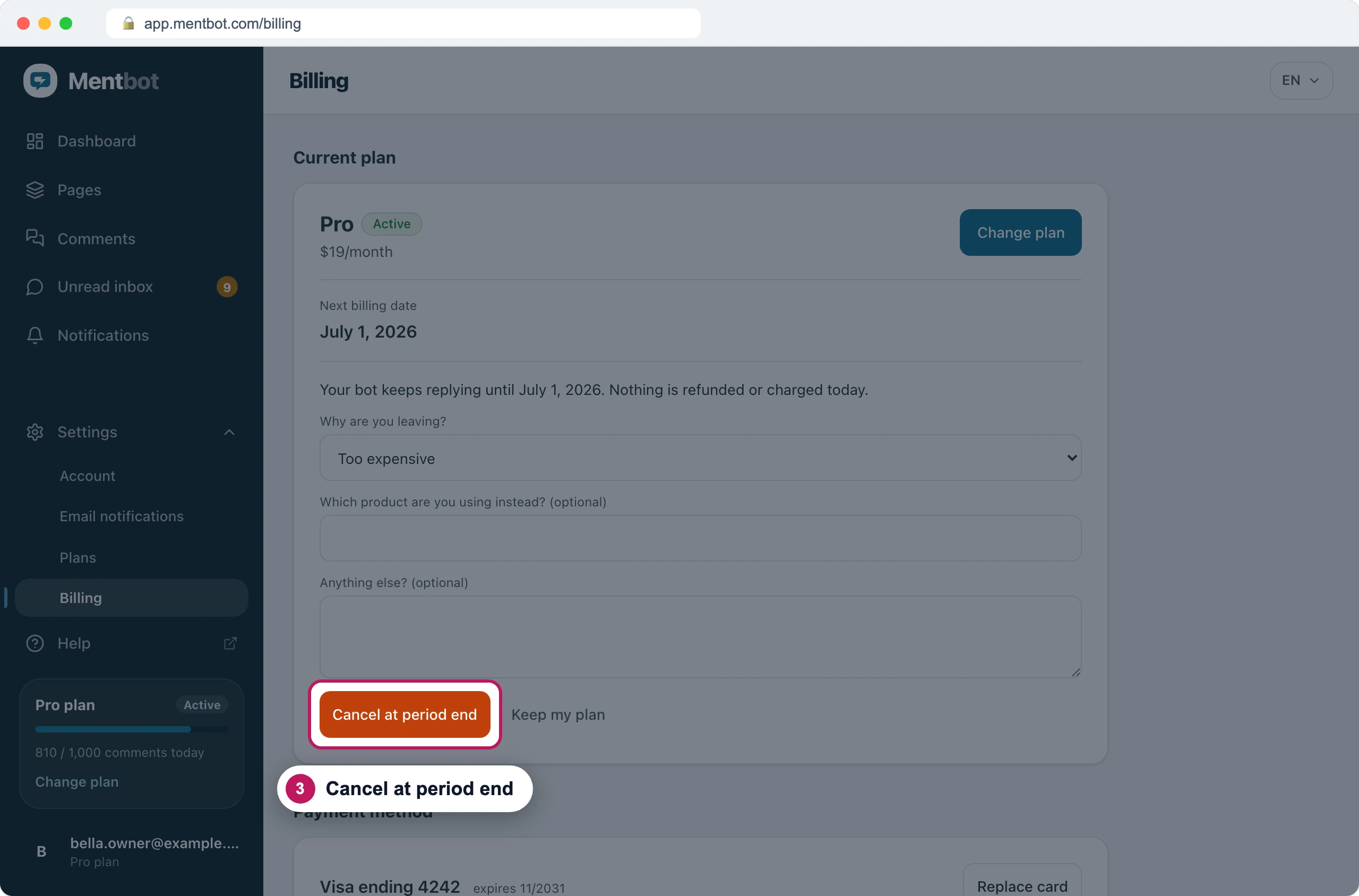
Keep my plan closes the form without cancelling.
Mentbot keeps replying until the end of the period you’ve paid for, and nothing is refunded or charged. Change your mind before then and press Resume subscription on the same page.
Only you can change or cancel your plan. Other people who manage your Pages can’t, and you can’t change theirs.
Who pays for a Page you share
A Page managed by several people runs on one person’s plan. Under Managed by in the Page’s settings, that person is marked pays. Comments on the Page count against their daily limit.
To move a Page onto your own plan:
Open Pages and choose the Page.
Press Pay for this page, then Yes, put it on my plan.
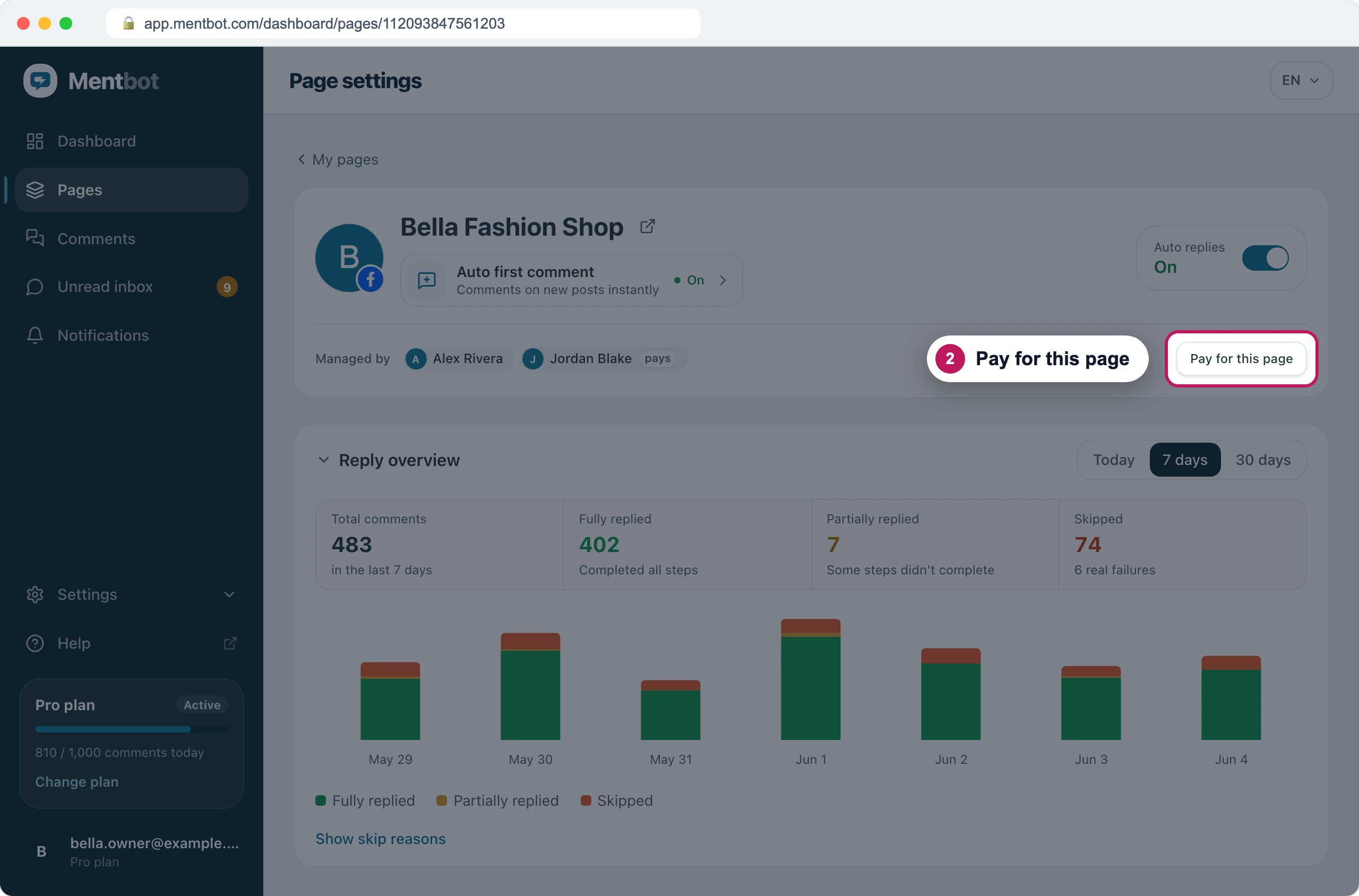
The button shows when a teammate pays and your own plan is active.
You need a plan of your own first. If the person who pays loses their plan, the Page moves on its own to the next person who manages it and has a plan. If nobody does, Mentbot stops replying on that Page.
If a payment fails
Mentbot keeps replying while your card is retried, and we email you. If the last retry fails, your plan ends and Mentbot stops replying. To fix it, open Billing and press Replace card.
On Instagram
An Instagram account runs on the same plan as the Facebook Page it’s linked to. Its comments count against the same daily limit.
If it still doesn’t work
I upgraded, but old comments are still unanswered
The new limit only applies to comments that arrive after you upgrade. Comments marked Daily quota reached before then stay unanswered. Answer them with Bulk reply.
Mentbot says Plan ended
The menu shows Plan ended and asks you to pick a plan when you have no active plan: your trial ended without a card, you cancelled, or a payment failed. Open Plans and choose a plan. Your Pages and Rules are still there, and Mentbot starts replying again straight away.
I need more than 6,000 replies a day
Email [email protected] and tell us how many comments your Pages get each day.
Still stuck? Use the chat in your dashboard, or email [email protected].