
"Facebook returned no Pages" or a Page is missing
On this page
Mentbot only sees the Pages Facebook shares with it. Most often, Facebook reused your earlier choice and skipped the Page list: connect again and press Edit settings so you can tick the Page.
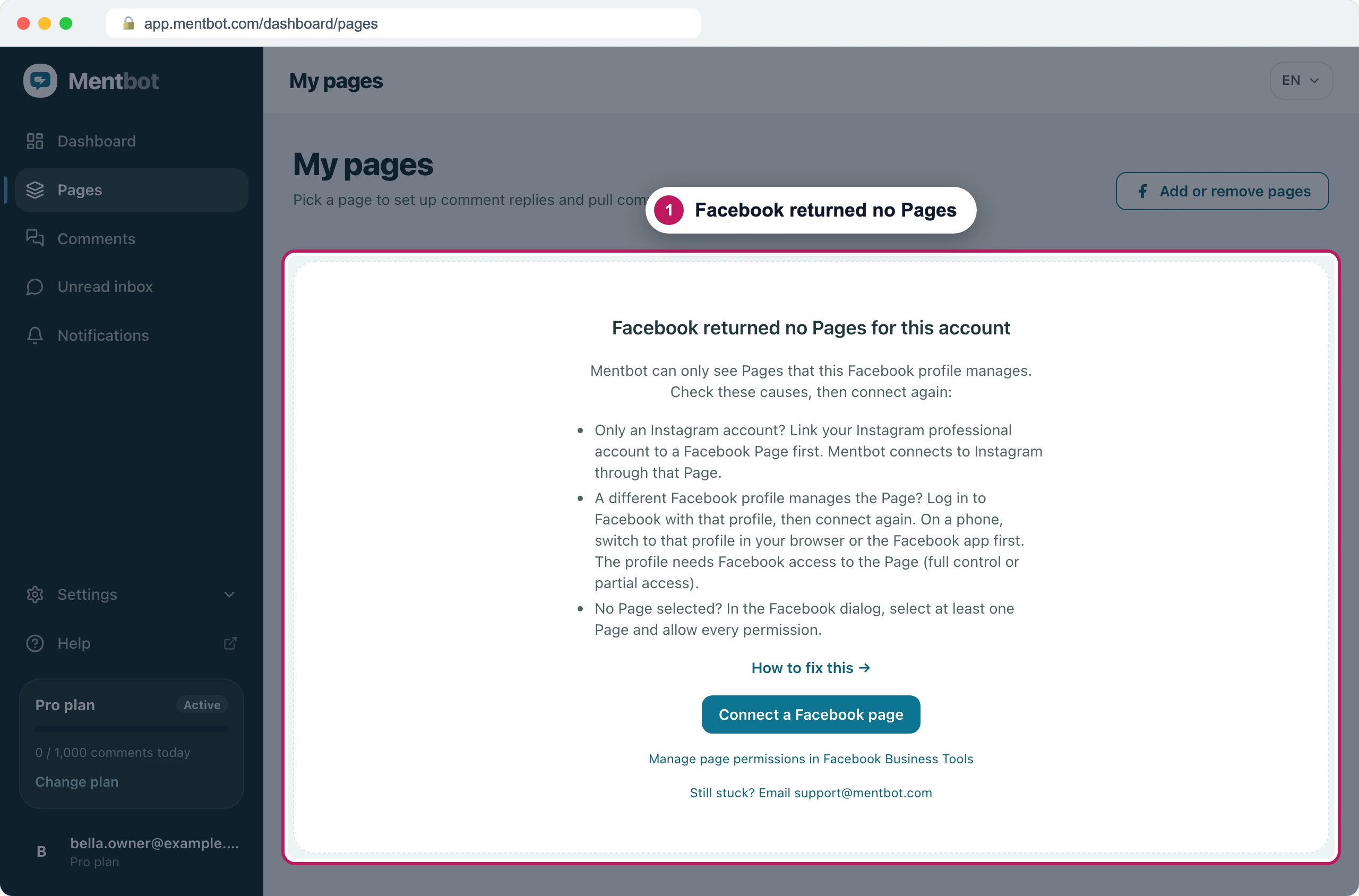
Facebook reused your earlier choice
How to tell: Facebook asked Continue as …?, you pressed Continue, and never saw a list of Pages. Pages may also say a Page was not selected in the Facebook dialog.
- In Pages, press Add or remove pages (or Connect a Facebook page), then Go to Facebook.
- Press Edit settings, not Continue.
- Choose Opt in to all current and future Pages, or tick the missing Page along with every Page already connected.
- Leave every permission on, then press Continue on each screen and Save.
The full walkthrough, with screenshots, is in Connect your Pages.
Your Facebook profile doesn’t have full control of the Page
How to tell: the Page is missing from Facebook’s list, or it’s in Mentbot with Needs full Page access. Mentbot replies as the Page, so Facebook only lets it in through a profile with full control. Also check you’re logged in to the right profile: on Facebook’s first screen, Log in to another account switches.
On Facebook, switch into the Page and open Settings → Page setup → Page access. Under People with Facebook access, full control lists Page deletion and Permissions next to your name.
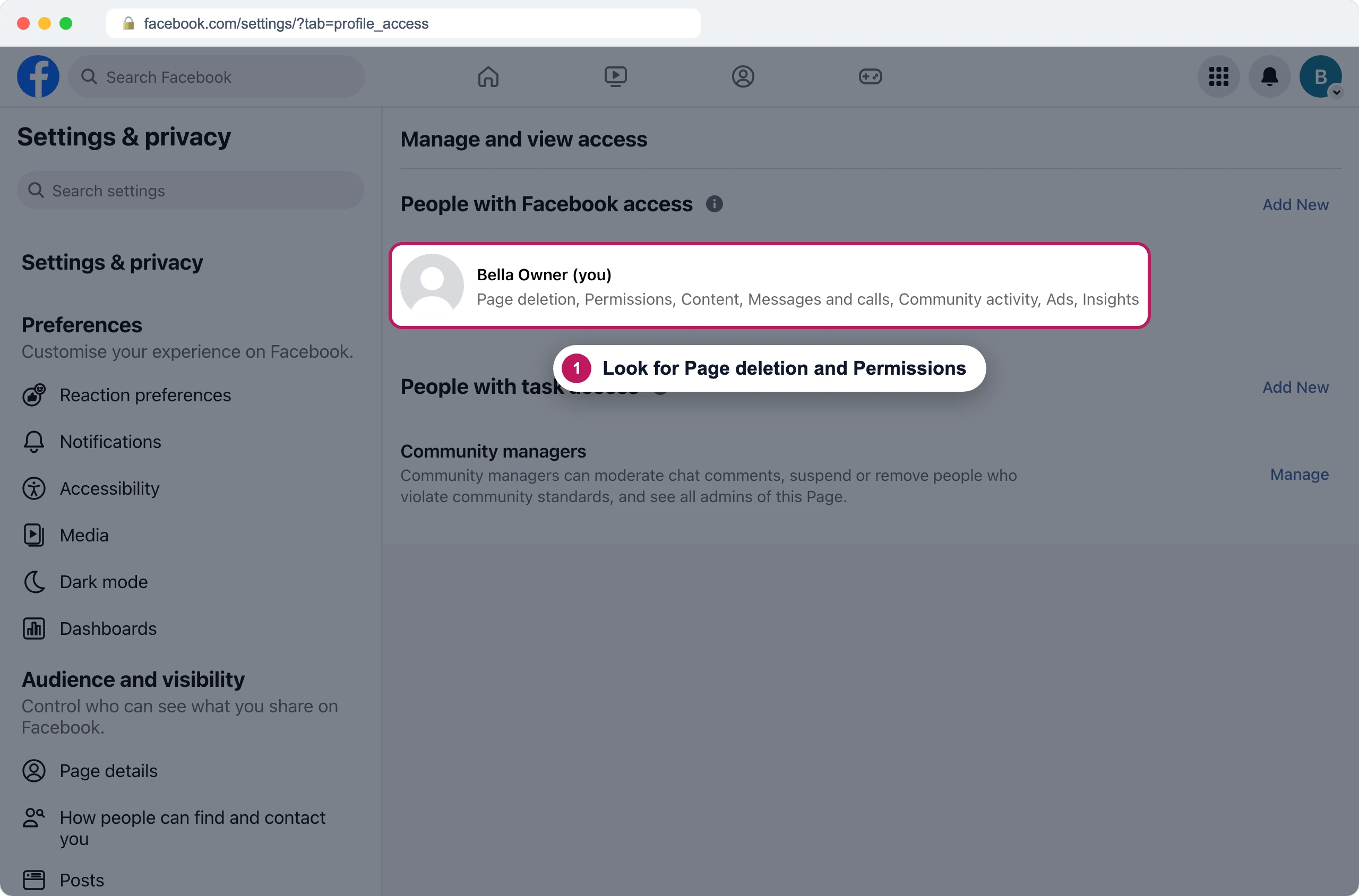
Recreated Facebook screen If your name is missing, or those two aren’t listed, ask someone who has full control to give it to you. Their steps are below.
When they’re done, connect again: Facebook reused your earlier choice has the steps.
For the Page admin: give full control
If the Page belongs to a business portfolio, do it in Meta Business Suite:
Open Business Suite settings, go to Pages and choose the Page.
Press Assign people.
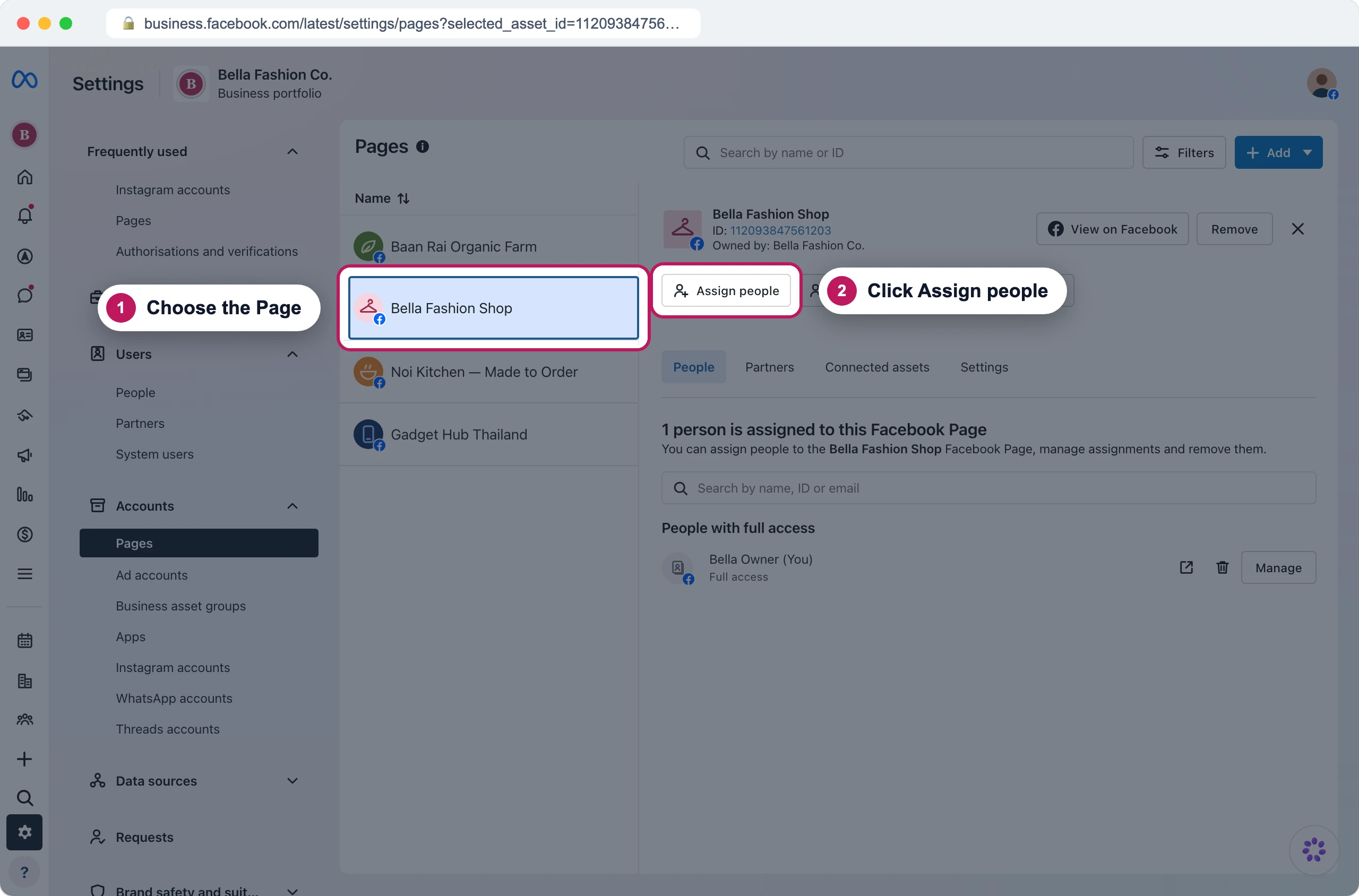
Recreated Business Suite screen Choose the person, then switch on Full access.
Press Assign.
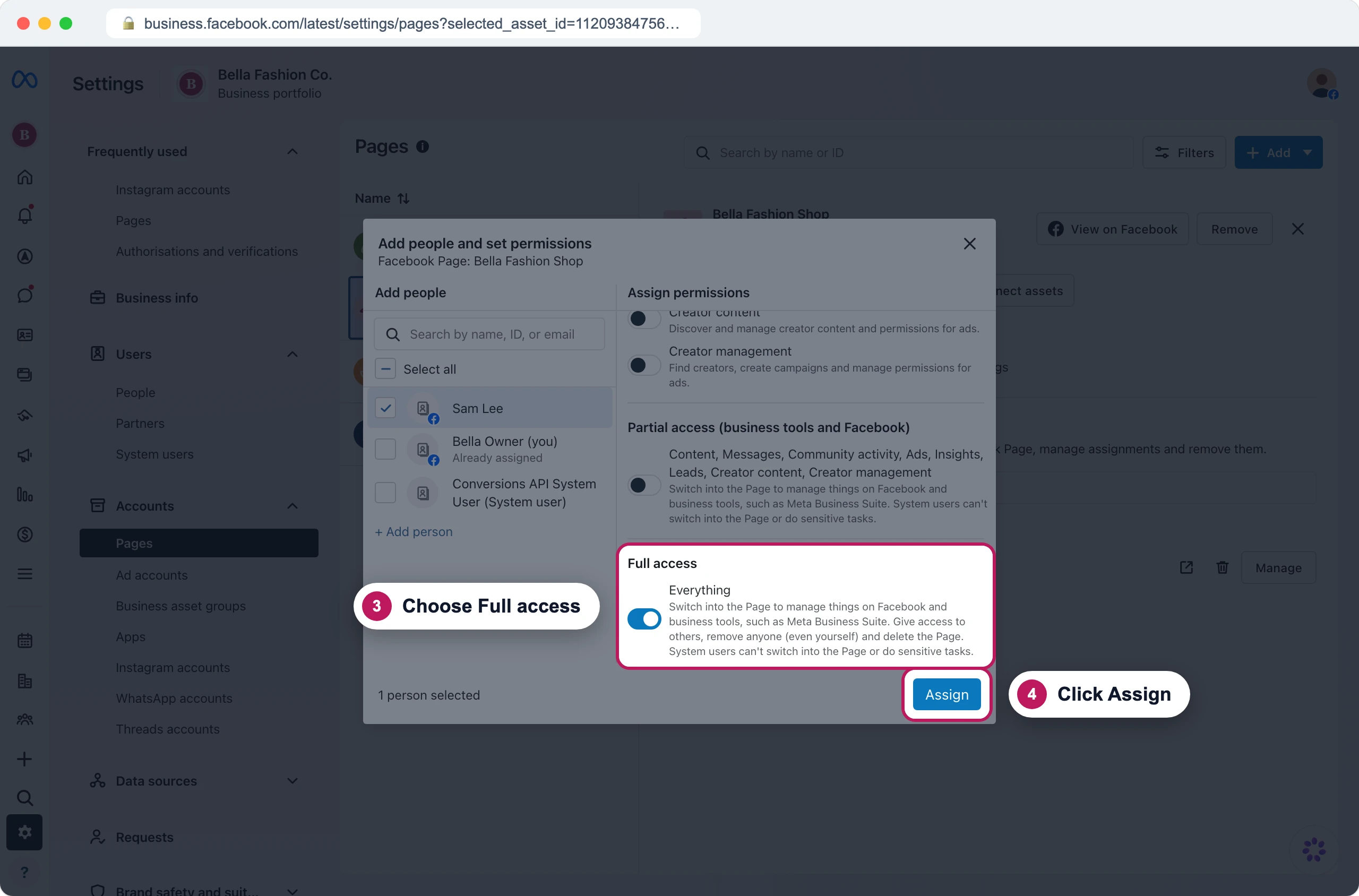
Recreated Business Suite screen
If the Page isn’t in a business portfolio, do it on Facebook instead: switch into the Page, open Settings → Page setup → Page access, press Add New next to People with Facebook access, and give the person full control.
The Page wasn’t shared with Mentbot App
How to tell: you have full control and ticked the Page, but it still isn’t in Mentbot, or Pages says something like Facebook listed 3 pages and handed over 2. This happens most with Pages owned by a business portfolio. Add the Page from Facebook’s side instead:
Open Business integrations on Facebook and press View and edit next to Mentbot App.
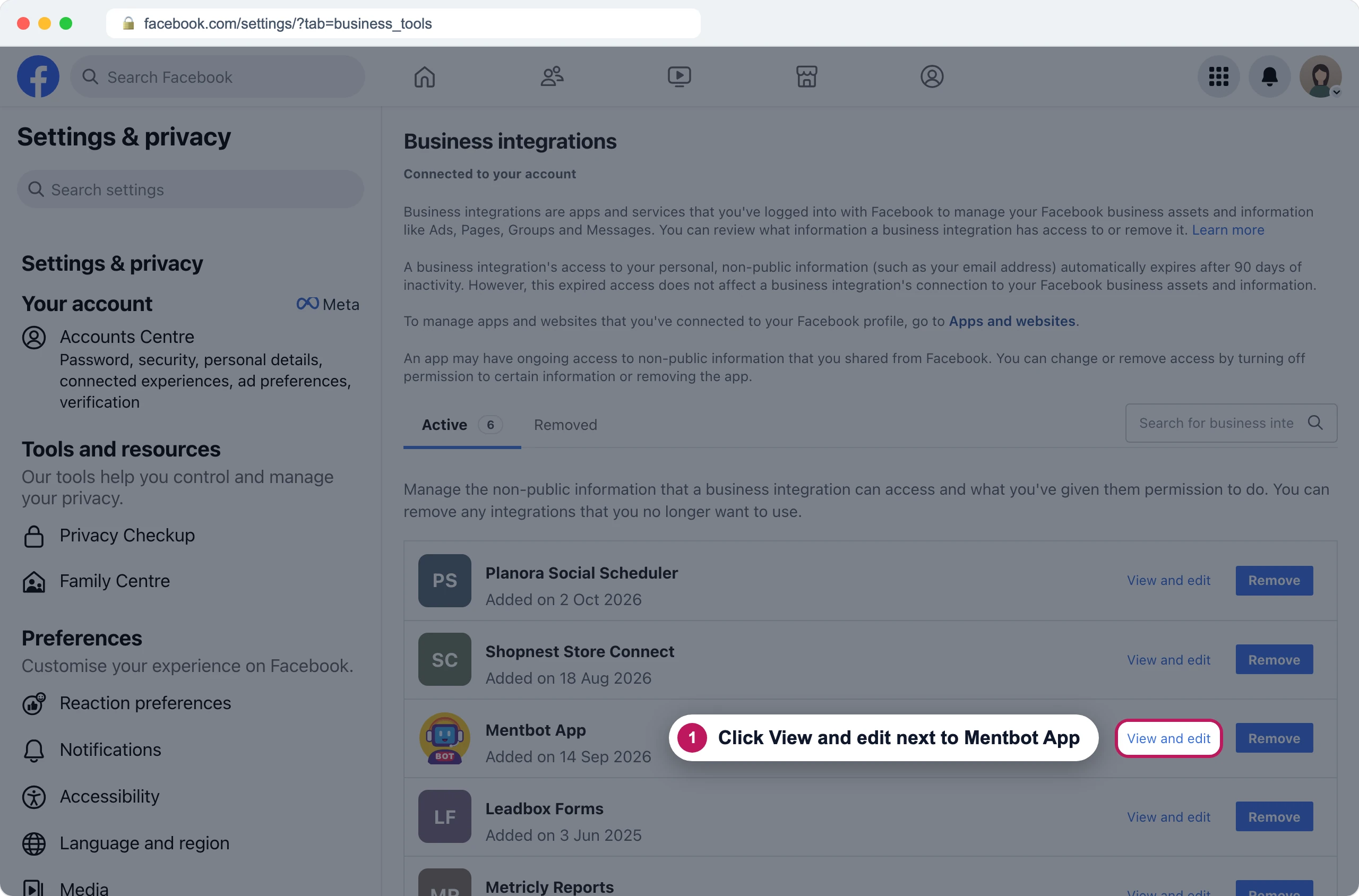
Recreated Facebook screen Under each permission, tick the missing Page. Press See all Pages if it isn’t shown.
Press Save.
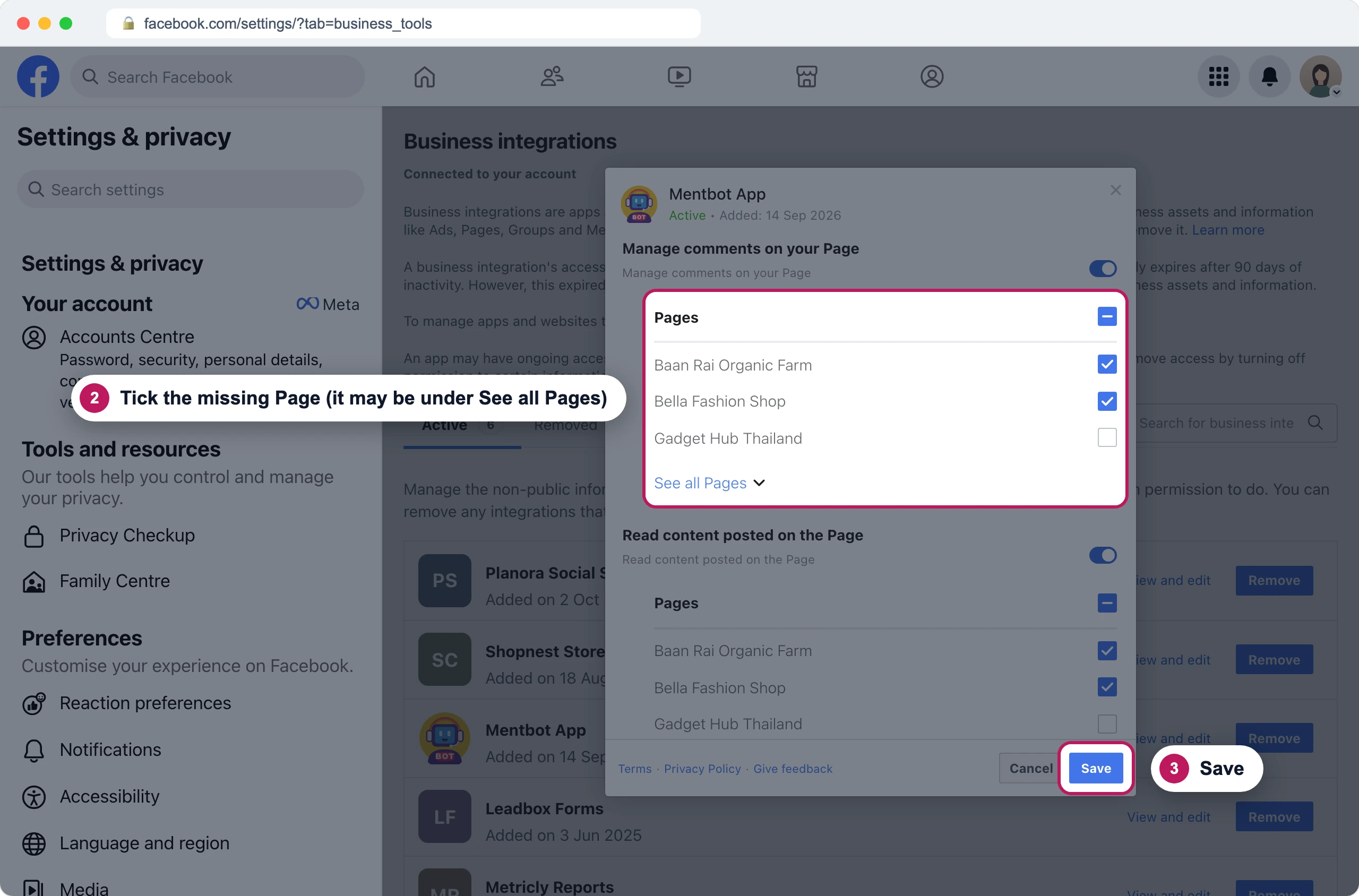
Recreated Facebook screen Back in Mentbot, connect again: Facebook reused your earlier choice has the steps.
The Facebook login didn’t finish
How to tell: Go to Facebook stays on Redirecting…, Facebook’s page is blank or broken, or you end up back in Mentbot without choosing anything.
- On an Android phone, the Facebook app can take over the login. Finish in the app if it opened, or connect from a computer.
- Turn off any ad blocker or privacy extension for facebook.com. They can break Facebook’s login page.
- Press Go to Facebook again.
If Pages says Facebook did not accept the login, Facebook turned the login down. Press Re-open the Facebook page picker and try once more.
On Instagram
Mentbot connects to Instagram through a Facebook Page, so an Instagram account on its own shows Facebook returned no Pages. The account has to be a professional account, linked to a Page you have full control of.
On Facebook, switch into the Page and open Settings → Linked accounts. Under Instagram, press Connect account and log in to Instagram. A personal Instagram account is switched to professional.
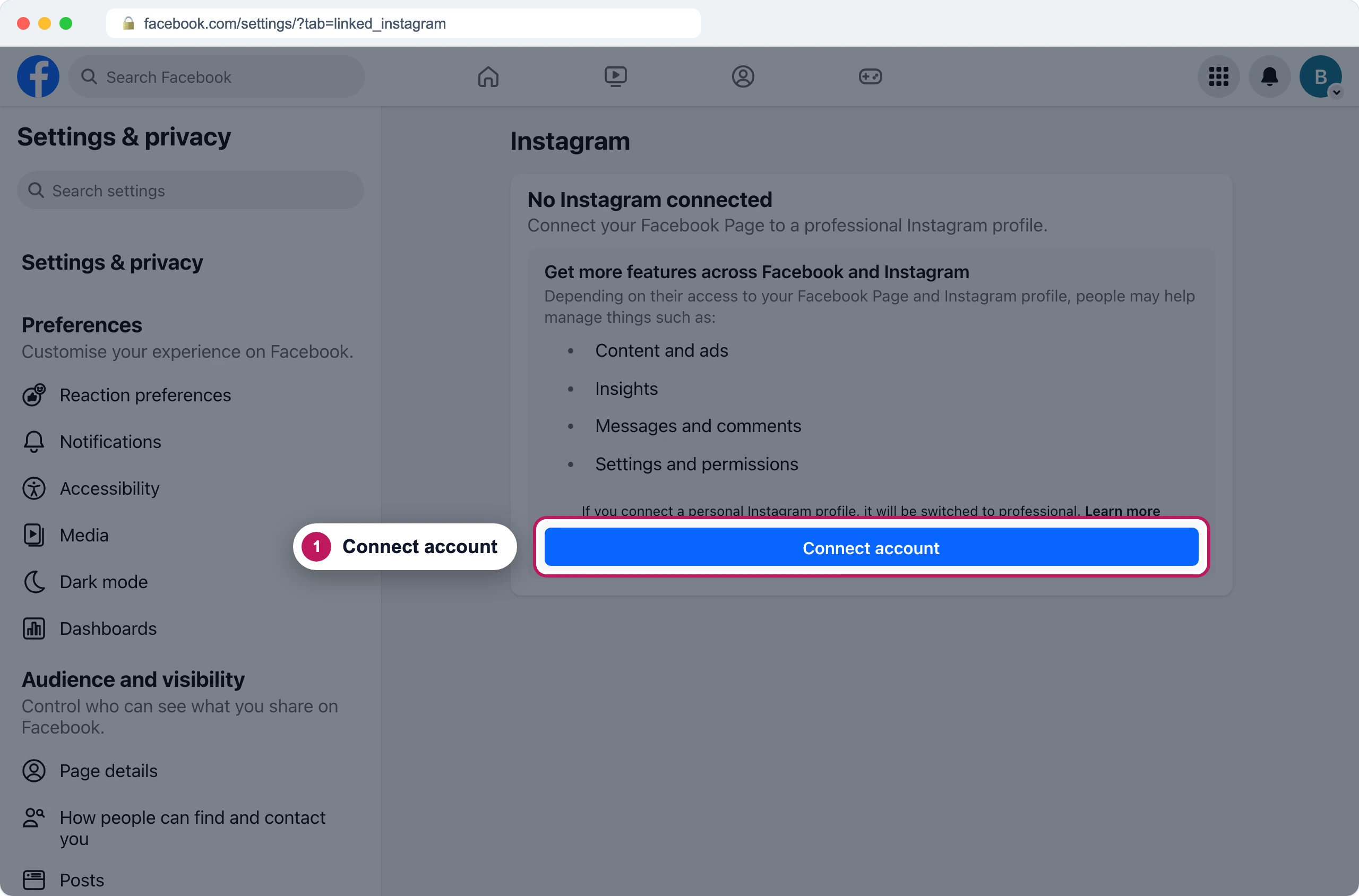
Recreated Facebook screen Connect again in Mentbot, pressing Edit settings. Tick the Page, then tick the Instagram account when Facebook asks which Instagram accounts to share.
The Instagram account appears in Pages as its own row. See Connect an Instagram account.
If it still doesn’t work
The Page appeared, then disappeared
A connect that leaves a Page unticked removes it from Mentbot. Connect again with the Page ticked. If nobody else had connected it, it comes back without its old Rules.
A Page was there and now shows “Access revoked”
That’s a different problem: Facebook withdrew Mentbot’s access. See Mentbot stopped replying.
Still stuck? Use the chat in your dashboard, or email [email protected].