
Mentbot stopped replying: "Access revoked" or a Facebook security check
On this page
Facebook withdrew the access Mentbot replies with, so the Page shows Access revoked and Mentbot goes quiet. Clear any security check on facebook.com, then press Reconnect on the Page. Your Rules stay.
Facebook asked for a security check
How to tell: the Page shows Access revoked, and a comment in Comments says Facebook put a security check on the account that connected this page. Facebook usually asks for one after a login it finds unusual, and reconnecting fails until it’s done.
- Go to facebook.com and log in with the Facebook profile that connected the Page.
- Complete every step Facebook asks for, such as confirming your identity or changing your password.
- In Pages, press Reconnect next to the Page and finish on Facebook as in the next section.
Facebook withdrew Mentbot’s access
How to tell: the Page shows Access revoked, and its details say Facebook withdrew Mentbot’s access on a date. It usually follows a Facebook password change, a log-out of every session in Where you’re logged in, or someone pressing Remove next to Mentbot App in Business integrations.
Open Pages and press Reconnect next to the Page.
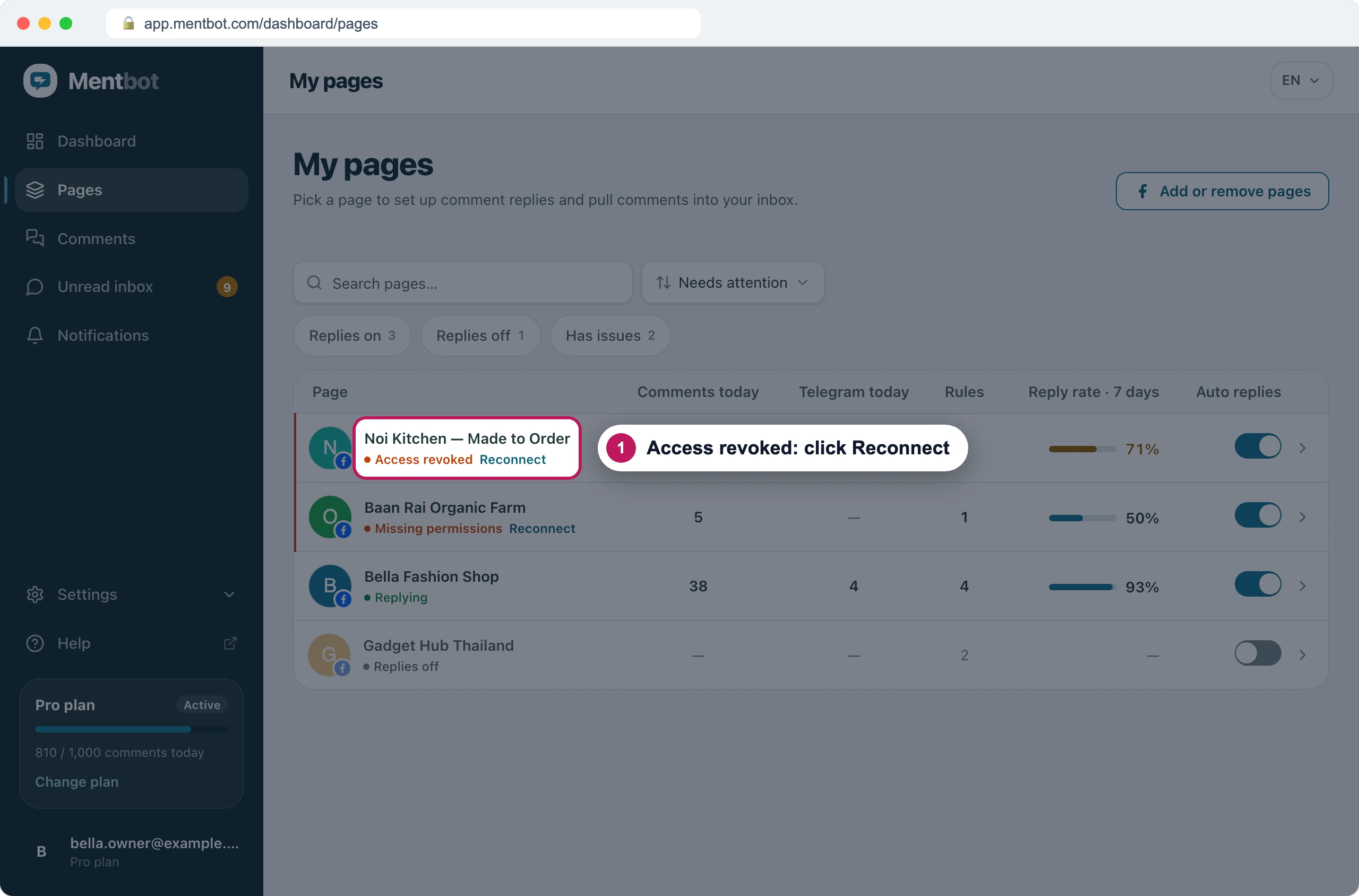
The Page stays in your list, with its Rules, until someone reconnects it. On Facebook, press Edit settings.
Keep this Page ticked, along with every other Page you’ve connected.
Leave every permission on, then press Continue on each screen and Save.
Anyone who manages the Page in Mentbot can reconnect it. Its Rules, settings and comment history stay, and Auto replies stays as it was. The full Facebook walkthrough is in Connect your Pages.
Mentbot is missing a permission
How to tell: the Page shows Missing permissions, and its details name what Mentbot needs. A permission was switched off on Facebook’s review screen, or later in Business integrations.
- In Pages, press Reconnect next to the Page.
- On Facebook, press Edit settings and keep the Page ticked.
- On Review Mentbot App’s access request, leave every permission on and press Save.
- If Missing permissions comes back, open Business integrations, press View and edit next to Mentbot App, tick the Page under every permission, and press Save. Then press Reconnect once more.
Facebook isn’t sending the Page’s comments
How to tell: the Page shows Not receiving comments. Mentbot can only answer the comments Facebook sends it, and Facebook has stopped sending this Page’s. Mentbot tries again on its own each time you open Pages, at most every 10 minutes, so the badge can clear by itself.
- In Pages, press Reconnect next to the Page.
- Finish on Facebook with the Page ticked and every permission on.
- If the Page then shows Needs full Page access, your Facebook profile doesn’t have full control of it. A Page admin has to give it to you: see full control.
On Instagram
An Instagram account gets its access through the Facebook Page it’s linked to, so it shows the same badges and the same fixes apply. Reconnecting the Page reconnects its Instagram account too. When only the Instagram account shows Missing permissions, tick it on Facebook’s Instagram screen as you reconnect, and leave its permissions on.
If it still doesn’t work
How do I answer the comments Mentbot missed?
Once the Page is reconnected, answer them with Bulk reply. It counts against your daily limit, and Facebook only allows private replies to comments less than 7 days old. See Catch up with Bulk reply.
I reconnect, but the badge comes back
Check which Facebook profile you log in with. It has to be one with full control of the Page, and with no security check waiting on facebook.com. See full control and security check.
Still stuck? Use the chat in your dashboard, or email [email protected].